


Katalon has no one-click converter for Tricentis Tosca tests. This guide shows how to inventory your Tosca workspace, map Modules, TestCases, and ExecutionLists to Katalon Studio, run a pilot and a parallel run, and move CI to Katalon Runtime Engine.
To migrate from Tricentis Tosca to Katalon, inventory your Tosca workspace, map Tosca Modules, TestCases, and ExecutionLists to Katalon Studio test objects, test cases, and test suites, then move in phases: a pilot, a parallel run, and a cutover. Katalon does not offer an automatic Tosca converter, so most of the work is rebuilding test logic in Katalon Studio, importing manual test cases into Katalon TestOps (test management in Katalon True), and running suites in CI with Katalon Runtime Engine (KRE).
This guide is the practical plan. If you are still deciding between the two tools, start with Katalon vs Tricentis, which compares them feature by feature. If Katalon is one option among several, the Tricentis alternatives roundup covers the wider shortlist.
When migrating from Tosca makes sense
A migration costs real effort, so it should solve a problem you can name. Teams usually start planning when one or more of these is true:
- The Tosca renewal is coming up and you want to compare it with a different licensing model before you sign again.
- Your suites are mostly web, API, and mobile tests, and you want testers and developers to work in code, low code, or record and playback in the same tool.
- Your CI is GitHub Actions, GitLab, Jenkins, or Azure DevOps, and you want tests to run there from the command line next to the build.
- You use qTest or another test management tool and want manual and automated results in one report.
It makes less sense when your estate is mostly SAP GUI or other thick-client tests that work well in Tosca, when you rely on Tosca test data management or service virtualization with no plan to replace them, or when you have just signed a multi-year contract. In those cases, a smaller pilot on new projects is often a better first step than a full move.
Start with an inventory of your Tosca workspace
Before you plan anything, list what you have. A spreadsheet is enough. If you are on Tosca Cloud rather than Tosca Commander, list the same assets from your Tosca Cloud workspace; the concepts below are the same. For each Tosca suite or folder, record:
- Test type: UI web, API, mobile, SAP, desktop, or data validation.
- Status: active, flaky, or unused. Tosca workspaces often carry TestCases that have not run in months.
- Run frequency: per commit, nightly, per release, or ad hoc.
- Business weight: does a failure here block a release or touch revenue?
- Dependencies: Modules, reusable blocks, test data sheets, and the ExecutionLists that run it.
- Integrations: CI jobs, Jira or Azure DevOps links, and qTest or other test management links.
Then capture baselines before anything changes: regression cycle time, number of tests run per release, time spent on maintenance each sprint, and defect escape rate. Without them, you can say the migration finished but not whether it helped.
Use the inventory to sort your assets into three groups. Some carry over almost as they are, some you rebuild, and some you leave behind:
- Migrates directly: test case logic (the intent and steps), test data, requirements traceability, and execution configurations such as browser and device combinations and environments. CI schedules carry over as a plan, but the jobs are rebuilt as KRE commands.
- Transforms: Tosca Modules and TestCases become Katalon Studio test objects and test cases, custom actions become custom keywords, and reusable components and business parameters become test objects and keyword libraries.
- Leave behind: Tosca Commander configurations, the separate Tosca model layer (maintenance moves to the Object Repository and scripts), and outdated or redundant tests.
Mapping Tosca concepts to Katalon
Tosca and Katalon Studio organize tests differently, but most Tosca concepts have a clear home. This map shows where each one goes and how it moves. Tosca terms are as Tricentis uses them as of November 2026.
Tosca concept (as of November 2026) | What it does in Tosca | Katalon equivalent | How it moves |
|---|---|---|---|
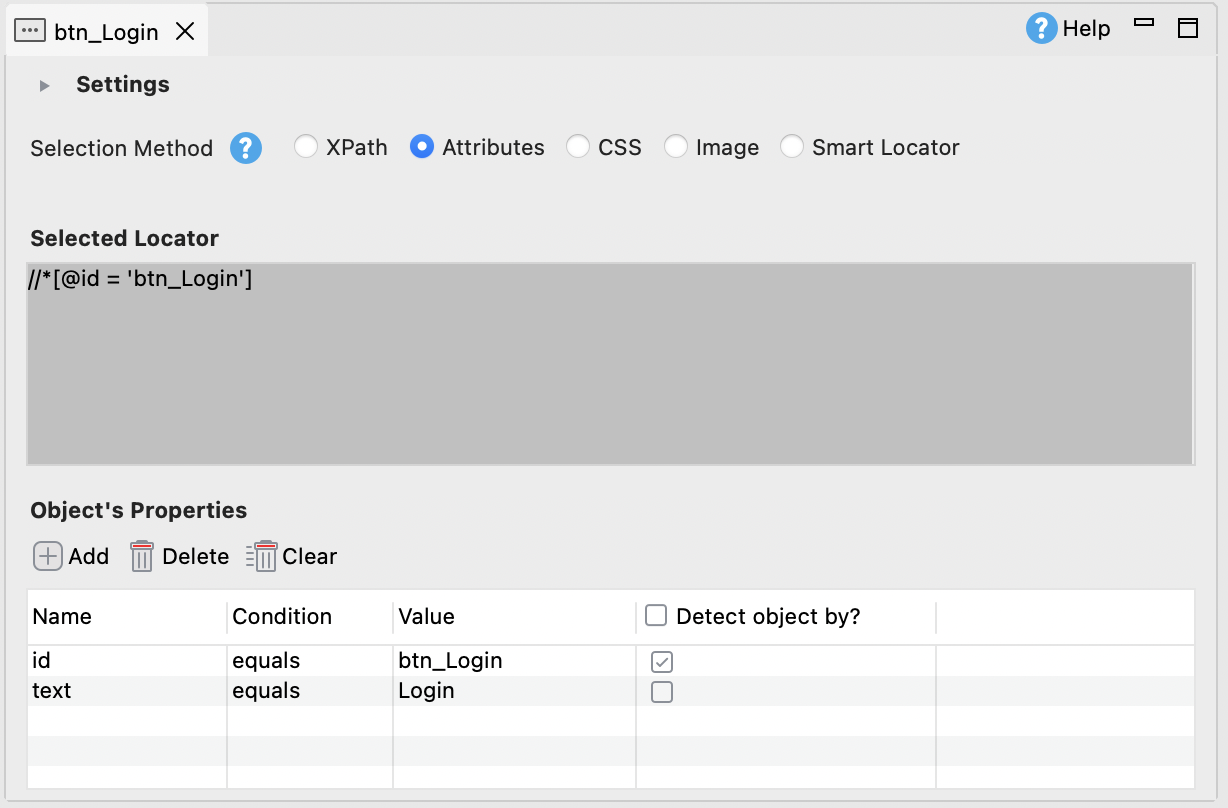
Module (XModule) | Describes the controls of an application screen | Test objects in the Katalon Studio Object Repository | Rebuild by recording or spying on the application |
TestCase and TestSteps | The test flow built from Modules | Katalon Studio test case (manual view or script view) | Rebuild the logic; import manual cases into TestOps from CSV |
TestCaseDesign and test data sheets | Generates test data combinations | Data files and data binding in Katalon Studio | Export the generated instances to CSV or Excel, then bind them to test cases; the combinatorial design itself does not carry over |
Reusable TestStepBlocks and libraries | Shared steps used by many TestCases | Custom keywords or called test cases in Katalon Studio | Rebuild once, then reuse across test cases |
ExecutionList | An ordered set of TestCases to run | Test suite; several suites form a test suite collection | Recreate in Studio; run from CI with KRE |
TestEvents and distributed execution agents | Runs ExecutionLists on remote agents | KRE on your own CI agents, or TestCloud for cloud browsers | Move CI jobs to katalonc commands |
API Scan and API TestCases | API testing in Tosca | Katalon Studio API testing (REST, SOAP, GraphQL) | Rebuild requests; API tests usually move fastest |
Requirements and risk weights | Coverage tracking in Tosca | Jira or Azure DevOps requirement links in Katalon TestOps | Jira or Azure DevOps links carry over through the CSV import; Tosca-native requirements and risk weights do not, so set risk again with the priority field or tags |
qTest test cases and test runs | Test management alongside Tosca | Katalon TestOps test cases, test runs, and reports | CSV import, plus the qTest integration during the parallel run |
Tosca reports and analytics | Results and coverage views | Katalon TestOps reports and Katalon Studio reports | Rebuild the views stakeholders actually use |
The biggest change for automation engineers is the object model. In Tosca, Modules are a separate layer you maintain. In Katalon Studio, test objects live in the Object Repository and test cases call them directly, in a manual (keyword) view or a Groovy script view. Maintenance moves to the Object Repository and scripts. On a paid plan (Professional or Enterprise), AI self-healing retries alternative locators when the UI changes, which reduces how often a locator change breaks a run.
What you can import, and what you rebuild
Be clear with your team on one point early: Katalon does not document a converter for Tosca TestCases or Modules, and a Tosca workspace cannot be opened in Katalon Studio. Automated Tosca tests are rebuilt. What Katalon does document helps with the rest:
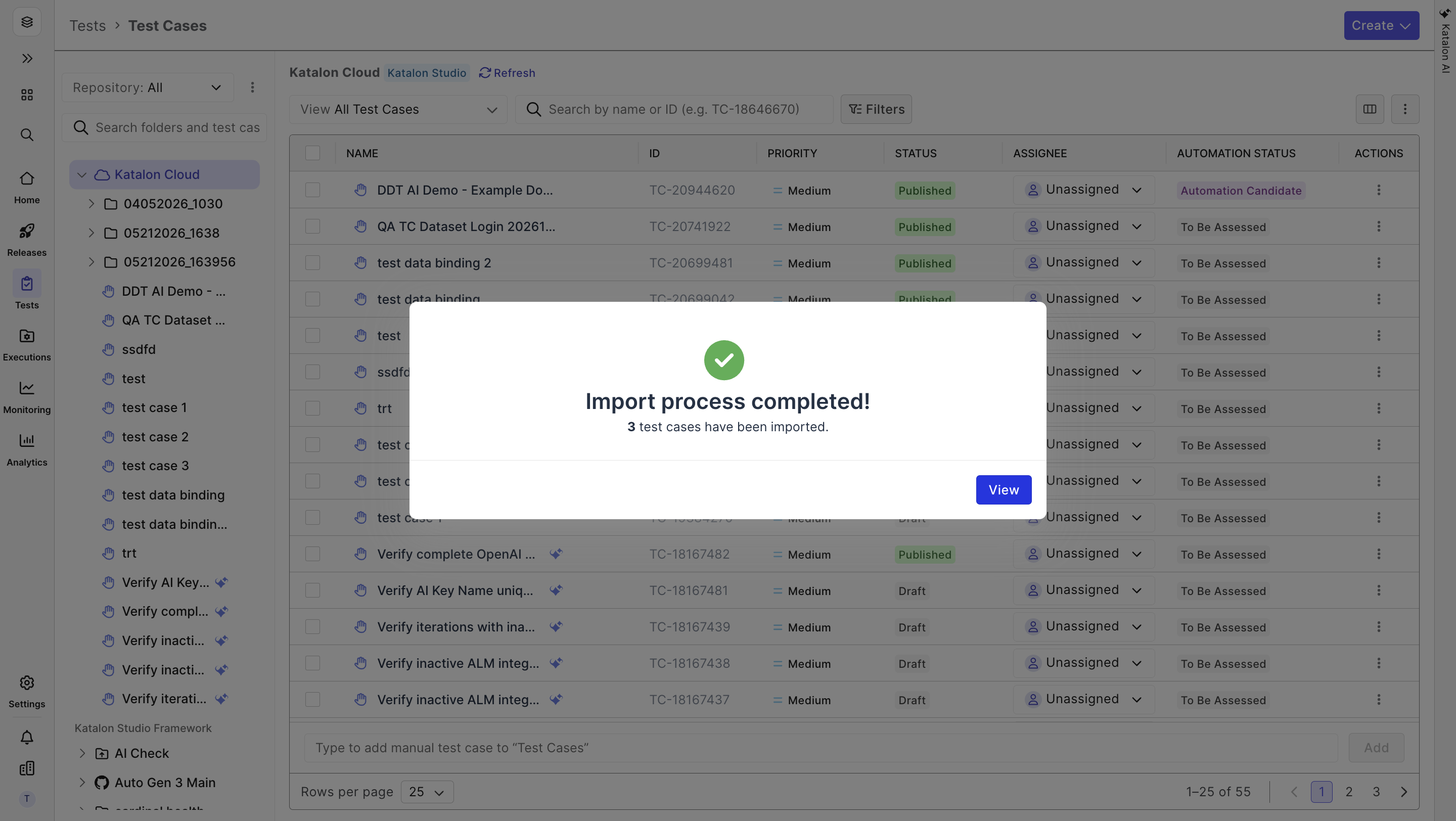
- CSV import into Katalon TestOps. In Katalon True test management (Tests > Test Cases > Create > Import Test Cases), you upload a CSV, review the automatic field mapping, and import. Requirement links from Jira or Azure DevOps are mapped during import. The docs recommend batches of about 500 test cases per file. This is the route for manual test cases exported from Tosca or qTest.
- Direct import from Azure DevOps. If your manual test cases live in Azure DevOps Test Plans, TestOps can import them directly, with steps, expected results, state, and priority.
- qTest integration in Katalon Studio. The qTest plugin, available on a paid plan (Professional or Enterprise), downloads qTest test cases into Studio and uploads Studio results back to qTest. That lets qTest stay the reporting source during a parallel run while you move to Katalon TestOps.
- Test data. Export TestCaseDesign data and test data sheets to CSV or Excel and use them as data files in Studio. Data-driven test execution needs a paid plan (Professional or Enterprise), per the Katalon docs.
If you want help with the move, the Enterprise plan on the pricing page lists onboarding and enablement services. Katalon does not publish a separate Tosca migration service.
How to migrate from Tricentis Tosca in phases: pilot, parallel run, cutover
A phased plan keeps releases moving while workloads shift. The timings below are an example for a mid-size enterprise suite. A small team with mostly API tests can move faster, and a large SAP estate will take longer.
Phase 1: Assess and plan (weeks 1 to 2)
Finish the inventory and baselines from the inventory step. Mark each suite keep, rebuild, or retire. Pick the order: suites that run daily and block releases go first, and suites that break often in Tosca are good early candidates because rebuilding them removes maintenance you already pay for.
Exit criterion: a signed-off asset list, a migration order, and baselines everyone agrees on.
Phase 2: Pilot (weeks 3 to 6)
Choose one product area that looks like your typical work but is not your most critical path. Include UI and API tests, one CI pipeline, and the report your stakeholders read. Start the 30-day free trial of Katalon Studio for the pilot team so you test on your own application.
Rebuild the pilot tests in Studio. Record UI flows to create the first test objects, then refactor them into custom keywords and clean scripts. Rebuild API tests from your existing requests. Import the related manual test cases into TestOps. Use the Katalon AI Assistant in Studio, on a paid plan (Professional or Enterprise), to draft or explain scripts, and review its output like any other code.
Measure as you go: time to rebuild an equivalent test, time to keep it green, and how the CI job behaves. Those numbers set the pace for every later phase.
Exit criterion: the pilot suites in Katalon Studio cover the same scope as the Tosca suites and pass reliably in CI, and you have a licensing decision (Studio plan, KRE, and TestCloud if needed) before the trial ends.
Phase 3: Parallel run and progressive migration (weeks 7 to 16)
Run Tosca and Katalon Studio side by side on the pilot area for two to three weeks and compare results run by run. Most differences are either a gap in the new suite or a stale Tosca test; the rest usually point to environment or data issues. The parallel run needs paid licenses, so buy them before it starts. Then move the remaining suites in the order from phase 1.
API tests usually move first because they depend least on the object model. UI suites follow, with shared test objects and keywords built once and reused. Decide on SAP and desktop suites separately (see below). As each suite is validated in Studio, retire its Tosca version. Keeping both for long doubles the maintenance and blurs which result to trust.
Exit criterion: every active suite runs in Katalon Studio through CI, with results in TestOps.
Phase 4: Cutover (weeks 17 to 20)
Move the last suites, switch release gates to TestOps reports, and export Tosca execution history and defect records for your archive, since that history does not import into Katalon. Plan the Tosca license end date around this phase, not before it. Then compare the new numbers with your phase 1 baselines.
Exit criterion: no release depends on Tosca, and the archive of Tosca results is stored where audit and compliance can find it.
Run migrated suites in CI with Katalon Runtime Engine
In Tosca, ExecutionLists run through distributed execution agents. In Katalon, test suites and test suite collections run from the command line with Katalon Runtime Engine. KRE is the test execution add-on that runs Katalon Studio tests in CLI mode, on your own machines or CI agents. The docs show setups for GitHub Actions, GitLab, Azure DevOps, and Jenkins, and there is a Docker image for containerized runs. A typical command looks like this:
katalonc -noSplash -runMode=console -projectPath="/builds/checkout-tests/checkout-tests.prj" -retry=0 -testSuitePath="Test Suites/Regression" -browserType="Chrome" -apiKey="<your Katalon API key>"KRE needs its own license: it is an add-on to Katalon Studio paid plans, available as a floating license. If you need browsers and devices you do not host, TestCloud runs suites in parallel on cloud browsers and devices. It is also an add-on, and per the Katalon docs it works with any Studio plan, including Free. Set up the CI job during the pilot, not at cutover, so pipeline issues show up early.
Reporting in Katalon TestOps
Tosca and qTest reports are usually what managers watch, so plan their replacement early. Katalon TestOps is a separate product from Katalon Studio. It collects results from Studio and KRE runs alongside manual test runs, so you can plan cycles, track coverage against Jira or Azure DevOps requirements, and gate releases on one shared report.
TestOps also includes the AI Test Runner, which runs your manual test cases autonomously with human approval at each step. For teams moving a large manual regression set from qTest, that is worth trying once the test cases are imported.
SAP and desktop tests: assess them separately
SAP is where many Tosca teams have the most invested, so treat it as its own decision:
- SAP Fiori and SAP UI5 run in a browser, so they are web tests in Katalon Studio and follow the same path as your other UI suites.
- SAP GUI is a desktop client. The route described in the Katalon docs relies on SAP Scripting Tracker, which is deprecated, and on an older Windows desktop driver. Check the current docs and run a proof of concept on your own SAP screens before you commit these suites.
- Other Windows desktop apps use Katalon Studio desktop testing, which needs a paid plan (Professional or Enterprise). Pilot one representative app first.
If the SAP GUI proof of concept falls short, a mixed setup is a reasonable outcome: keep SAP GUI suites in Tosca for now and move web, API, and mobile suites to Katalon Studio.
Migration risks and how to reduce them
- Coverage gaps during the move. Do not retire a Tosca suite until its Katalon Studio version has passed the parallel run. Track coverage against requirements in TestOps so gaps show up as missing links, not escaped bugs.
- Underestimating the rebuild. Not every Tosca TestCase deserves a rebuild. Retire duplicates and tests for features that no longer exist. Use pilot numbers, not guesses, to size the rest.
- Team pushback. Start with volunteers, give them dedicated time instead of adding migration on top of sprint work, and let them coach the next squad.
- CI disruption. Build the KRE job in the pilot and keep the Tosca pipeline running until each suite is validated.
- Lost history. Export Tosca execution history and defect records before licenses end. They will not import, but you may need them for audits.
- License timing. Align the Tosca end date with phase 4 and leave a buffer. A forced cutover pushes teams to cut corners.
Tosca to Katalon migration checklist
- Write down the problem the migration solves and how you will measure it.
- Inventory every Tosca suite: type, status, run frequency, business weight, and dependencies.
- Record baselines: cycle time, tests per release, maintenance time, and defect escape rate.
- Mark each suite keep, rebuild, or retire, and set the migration order.
- Map Modules, TestCases, reusable blocks, and ExecutionLists to Katalon Studio test objects, test cases, keywords, and test suites.
- Export test data to CSV or Excel and manual test cases to CSV for TestOps.
- Start a pilot on one representative product area.
- Set up a KRE job in your CI tool during the pilot.
- Run Tosca and Katalon Studio in parallel and compare results run by run.
- Run a separate proof of concept for SAP GUI and desktop suites.
- Move release reporting to TestOps and archive Tosca history.
- End Tosca licenses only after every active suite is validated.
Should you migrate? A fair verdict
Stay with Tosca if your core tests are SAP GUI or other thick clients that run well today, if your team depends on Tosca model-based test design, test data management, or service virtualization, or if a recent renewal makes the timing wrong. A rushed move to save on licenses can cost more in lost coverage.
Move to Katalon Studio if most of your suites are web, API, and mobile, if you want tests in code, low code, or record and playback in one tool, if you want suites running in your existing CI through KRE, and if you want manual and automated results together in TestOps. Katalon Studio has a Free plan, Professional is $1,800 per seat per year (about $150 a month), billed annually, and Enterprise is custom. KRE and TestCloud are add-ons, and there is a 30-day free trial. Katalon TestOps is priced separately under the Katalon True plans. Check current details on the pricing page.
Either way, run the pilot before you commit. Two to four weeks on your own application will tell you more than any comparison.
Frequently asked questions
Not directly. Katalon does not document a converter for Tosca TestCases or Modules, so automated Tosca tests are rebuilt in Katalon Studio. Manual test cases can be exported to CSV and imported into Katalon TestOps, which maps fields and keeps Jira or Azure DevOps requirement links. Test data can move as CSV or Excel files.
It depends on suite size and how much is SAP GUI or desktop. The example plan in this guide takes about 20 weeks: 2 weeks to assess, 4 weeks of pilot, about 10 weeks of parallel run and migration, and 4 weeks of cutover. Use your pilot numbers to size your own plan; API-heavy teams can move faster.
Check how much of your suite is web, API, and mobile versus SAP GUI or thick clients, which Tosca features you rely on, and when your license renews. Then run a pilot on your own application with Katalon Studio, KRE in your CI tool, and TestOps reporting, and compare the results with your baselines.
A test suite in Katalon Studio. An ExecutionList is an ordered set of TestCases to run, and a Studio test suite groups test cases the same way. Several suites can form a test suite collection, and Katalon Runtime Engine (KRE) runs suites or collections from the command line in CI tools such as Jenkins and GitHub Actions.
Katalon TestOps handles test management, manual test runs, and reports for Katalon Studio and KRE results. You can import qTest test cases from a CSV export. During a parallel run, the qTest integration in Katalon Studio (paid plans) can download qTest test cases and upload Studio results back, so qTest reports stay current until cutover.



Test everything. Ship with confidence.
From generating test cases to spotting failures, Katalon's AI works across your entire pipeline, automatically.
