


What test orchestration means, how it works, its components, how it differs from test automation and CI/CD, a nightly cross-browser example, best practices, and what to look for in a tool.
Many teams automate tests one at a time: unit tests here, an API suite there, a browser regression suite somewhere else. Test orchestration is the layer that decides what runs, where, in what order, and how the results come back together into one answer.
In short, test orchestration coordinates automated tests into one workflow: which tests run, on which environments, in what order, and how their results merge into one report. Below: how it works, its components, how it differs from automation and CI/CD, and an online store's nightly 200-case regression across 3 browser configurations.
What is test orchestration?
Test orchestration, also called test automation orchestration, is the process of coordinating automated test execution in a structured, sequential workflow. It decides which tests run, in what order, on which environments and with which data, then collects the results into one report the team can act on.
Take the end of a sprint in an agile team. The build is marked ready for release, and several test activities still have to happen before it reaches users: unit tests, system tests, then automated integration testing. Each one may already be automated, but someone still has to start each one at the right moment with the right input data. Orchestration ties those individually automated activities into one coordinated process.
Orchestration also reaches past execution. It schedules and manages the pieces around automated tests, such as environments, databases, and test data, across 4 stages:
- Plan: decide which tests run for which change, and when.
- Manage: keep suites, environments, and configurations organized and current.
- Execute: start runs, sequence them, and spread them across machines.
- Analyze: merge results, separate real failures from noise, and inform the go or no-go decision.
When all 4 stages run in one coordinated system, the practice is usually called TestOps. Test orchestration is its execution engine.
What does a test orchestrator do?
A test orchestrator is the tool, or the person, that triggers test runs, puts them in order, distributes them across environments, and collects what comes back. In most teams it's a combination: a CI server or scheduler starts the run, a test management or TestOps platform holds the suites and results, and a QA lead or platform engineer owns the rules.
Android Test Orchestrator is a different thing with a similar name. It's part of the AndroidX Test library and runs each Android instrumentation test in its own process, so one crashing test or shared state doesn't affect the next.
How does test orchestration work?
The steps below follow a common order. A small team may run them all inside one CI job; a large team may spread them across a CI server, a scheduler, and a test platform.
- Trigger: a commit, pull request, schedule, or manual request starts a run.
- Select and sequence: the orchestrator picks the suites for that trigger and orders them, for example a short smoke check before the full regression.
- Prepare: it provisions or selects environments, applies the right configuration, and loads test data.
- Distribute and run: it sends tests to available machines or cloud sessions, sequentially or in parallel.
- Collect and merge: results, logs, and screenshots from every machine come back into one report.
- Act: failures are triaged, the team is notified, data is torn down, and the result feeds the release decision.
What are the components of test orchestration?
Test sequencing and dependencies
Some tests depend on others. If sign-in is broken, every checkout test fails for the same reason and buries the real signal. Sequencing runs the gatekeeping checks first and stops or reroutes the run when they fail, so later results mean something.
Test environments and execution agents
Orchestration needs to know where each test runs: which operating system, browser, device, or service version, and against which deployment (dev, QA, staging). Execution agents are the machines that do the work. They can be cloud-hosted and managed by a vendor, or self-hosted on your own infrastructure when tests need a restricted network or local dependencies. Configuration such as URLs, credentials, and feature flags is kept outside the test code so the same suite can run against each environment.
Test data setup and teardown
Test data orchestration makes sure each test starts from known data and leaves nothing behind. A pipeline might create test accounts and a product catalog before the run, chain the output of one stage into the next (for example, an API setup stage creates orders that the reporting suite then checks), and reset everything afterward. Teardown matters as much as setup: without it, the second nightly run inherits the first run's orders and fails for the wrong reason. See test data management for how teams source and mask that data.
Scheduling and triggers
Runs start on events (a commit, a merged pull request, a deployment), on a schedule (nightly or weekly regression), or on demand (a hotfix check). Good orchestration lets each trigger start a different scope of testing, so a pull request doesn't wait for the full regression.
Parallel execution
Parallel runs split a suite across machines or sessions so it finishes sooner. It works at 2 levels: several suites running side by side, or individual test cases spread across sessions. Both depend on tests being independent: a test that relies on another test's data or state breaks when the order changes.
Results aggregation and reporting
A run spread over 10 machines produces 10 sets of logs. Orchestration merges them into one view: what ran, what passed, what failed, which failures are new, and which keep flipping between pass and fail. That merged view is what a test report and a release decision are built on.
CI/CD integration
The orchestrator has to fit the delivery pipeline the team already runs. That means CI jobs can start test runs, and test results flow back to the pipeline and to a shared record, whatever framework produced them.
How is test orchestration different from test automation, CI/CD, and parallel testing?
These 4 terms overlap, and teams often use them interchangeably. Each answers a different question.
Test automation | Test orchestration | CI/CD | Parallel testing | |
|---|---|---|---|---|
What it is | Scripts that run individual tests without a person | Coordination of many automated tests into one workflow | A pipeline that builds, tests, and deploys code on each change | Running tests at the same time on several machines or sessions |
Scope | One test or suite | Many suites, environments, data sets, and results | The whole delivery process | One run's execution step |
Main question | Does this feature work? | What runs, where, in what order, and what did we learn? | Can this change ship? | How fast can this run finish? |
Typical tools | Test frameworks and automation tools | Test management and TestOps platforms, CI schedulers | CI servers and deployment tools | Execution grids and cloud test sessions |
Output | A pass or fail per test | One merged report and a release signal | A deployed build | A shorter run time |
In short, automation makes tests run without a person, parallel testing makes them run faster, and CI/CD runs them as part of shipping. Orchestration connects all 3 to a testing goal: the right tests, on the right environments, in the right order, with results you can trust.
Where shift-left and shift-right fit
Shift-left testing moves testing earlier: smaller tests, run more often, from the first commits. Shift-right testing checks the software after release under real conditions, with monitoring, canary releases, and production checks. Many teams now do both, and both multiply the number of test runs to coordinate. Orchestration keeps the early, small runs and the late, real-world checks on schedule and reports them in one place, so the team sees quality across the whole cycle rather than in fragments.
How does test orchestration fit into a CI/CD pipeline?

A CI/CD pipeline orchestrates the whole delivery process. Test orchestration specializes in the testing inside it: which test types run at which stage, on which environments, and with which data. Continuous testing is the form of test orchestration that lives inside CI/CD, but orchestration also covers runs that sit outside the commit flow, such as nightly cross-browser regression, upgrade-path checks, and compliance runs.
Even well-automated pipelines need some human decisions: adjusting test data for the next cycle, deciding how long a soak test runs, or confirming an environment is stable under load. Orchestration doesn't remove those decisions. It records them as rules so they're applied the same way each time, and it lets the team put more testing where the risk is highest.
A common pattern runs 3 tiers of testing, each with its own trigger:
Tier | Trigger | What runs | Goal |
|---|---|---|---|
Pull request | Each commit or pull request | Unit tests and a short smoke suite | Feedback in minutes before merge |
Nightly | A daily schedule | The full regression suite, split across machines | Catch side effects of the day's changes |
Pre-release | A release candidate build | Full cross-browser and device coverage, plus upgrade and compliance checks | A release decision backed by evidence |
All 3 tiers report into the same record, so the release owner reads one history instead of 3 sets of CI logs.
What is an example of test orchestration?
The store from our test management guide has a 200-case regression suite covering sign-in, checkout and payment, and search. Here is how the team orchestrates it each night. The times and counts below are illustrative.
Step | What happens | Orchestration component |
|---|---|---|
1. Trigger | A daily schedule starts the run at 11 pm against the staging deployment | Scheduling |
2. Prepare | A setup job creates test accounts and a product catalog, and loads the payment provider's sandbox card numbers; the staging configuration supplies URLs and masked credentials | Environments and test data |
3. Gate | The store's 10-case smoke suite (home page, sign-in, search, cart, and payment page) runs first; if it fails, the run stops and the team is alerted instead of collecting hundreds of failures with one cause | Sequencing |
4. Run | The 200 regression cases run in parallel on 3 configurations: Chrome on Windows, Safari on macOS, and Chrome on an Android phone, 600 results in all | Agents and parallel execution |
5. Clean up | Test orders are deleted and stock levels reset, so tomorrow's run starts clean | Test data teardown |
6. Report | Results from all sessions merge into one run tagged to the current release; failures are grouped by category, and a summary goes to the team's Slack channel | Results aggregation |
In the morning, the QA lead opens one report instead of 3. Say 4 checkout tests failed on Safari only and 1 search test failed on all 3 configurations. The Safari failures point to a browser-specific bug; the search failure points to a product change or a test that needs updating. Neither finding needed anyone to rerun anything by hand.
What are common test orchestration use cases?
End-to-end and API test orchestration
End-to-end testing of a business flow often calls several APIs and services one after another: create a customer, place an order, take a payment, send a confirmation. API test orchestration runs those calls in order, passes data from one step to the next, and checks the final outcome, not only each response. See what is API testing for the individual checks inside each step.
Upgrade-path testing
A release candidate may be installed over several earlier versions. Each upgrade path, for example 3.8 to 4.2 and 4.0 to 4.2, needs its own starting environment and data. Orchestration builds each starting point, runs the upgrade, and runs the same checks on all of them.
Security testing orchestration
Security checks such as dependency scans, static analysis, and dynamic scans against a running build come from different tools and run at different stages. Security testing orchestration sequences them in the pipeline, for example dependency scans on each commit and dynamic scans on the nightly staging build, and collects the findings next to functional results so a release isn't approved on functional results alone.
Compliance testing
Compliance testing checks the software against defined standards and regulations, such as accessibility or data handling rules. It's time-consuming and often needs specialist review. Orchestration runs the automated parts on a set schedule and keeps the evidence with the release, so auditors and reviewers see what ran and when.
AI in test orchestration
AI is starting to take on parts of the orchestration loop that used to need a person: creating and monitoring test runs from a plain-language request, sorting failures into likely product bugs, script issues, or flaky tests, and summarizing whether a release looks ready. Treat its output as a first pass that a tester reviews, especially for release decisions.
What are the benefits of test orchestration?
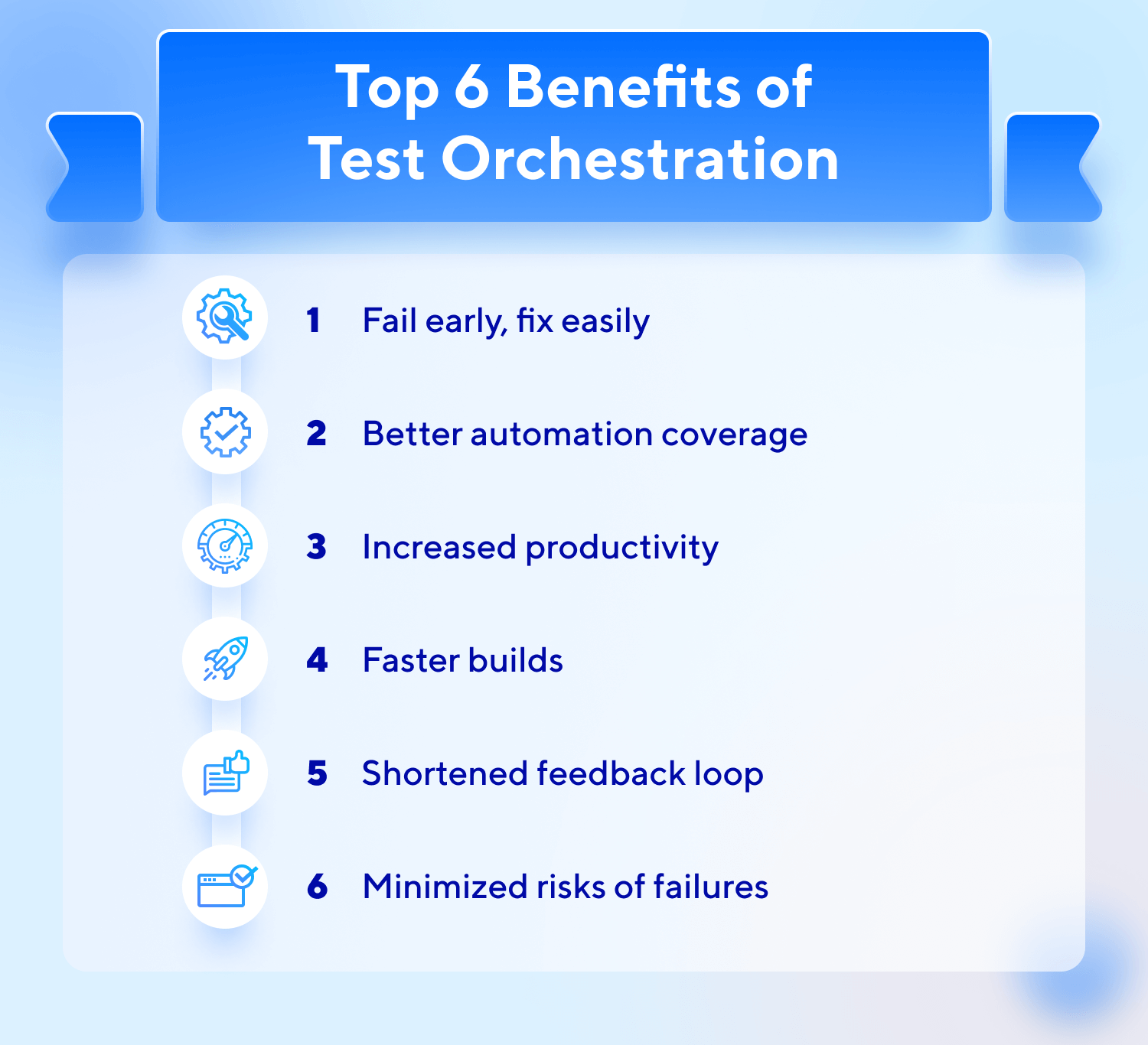
Fail early, fix easily
Orchestrated pipelines run the right checks soon after each change, so failures surface while the change is still fresh in the developer's mind. A bug found the same day is smaller and cheaper to fix than one found in a release candidate.
Better automation coverage
Orchestration shows where automated tests are missing: an environment nobody tests, a flow with no API check, a browser that's skipped. Once those gaps show up in every report, they're easier to prioritize and close.
Increased productivity
Testers stop starting runs, copying logs, and rebuilding spreadsheets by hand. That time goes back into test design, exploratory testing, and failure analysis.
Faster builds
When suites run in the right order and in parallel, the pipeline waits less for testing. Smoke checks gate the expensive runs, so a broken build fails in minutes rather than after a full regression.
Shortened feedback loop
Results from all environments arrive in one place, soon after the run. Developers see what broke and where without waiting for someone to collect and forward the results.
Minimized risk of failure
Pipelines can be built around the application's risk assessment, with focused runs for performance, scalability, availability, and security. The riskiest areas get tested more often and on more configurations.
Why is test orchestration hard?
Orchestration fails when it's added without a plan. A team that wires every suite into the pipeline at once often ends up with longer runs and noisier results than before. The common symptoms:
- Flaky tests that break pipelines: a test that passes and fails on the same build blocks merges and teaches people to ignore red builds. See flaky tests in test automation.
- Long execution times: a regression suite that grows without parallel runs or tiering stops fitting in the nightly window.
- Poor failure visibility: results scattered across CI logs, machines, and tools mean nobody can say quickly what failed and why.
- Tool integration gaps: the scheduler, the frameworks, the environments, and the reporting tool don't share data, so people fill the gaps by hand.
How do you start with test orchestration?
You don't need to automate every test before you start orchestrating. You need a plan for each pipeline.
- Give each pipeline a measurable purpose. For example, a pre-release performance pipeline runs under several load levels and outputs response-time metrics and configuration recommendations. The purpose tells you which tests to automate first and when the pipeline is done.
- Automate the simplest pieces first. Start with stable, high-value checks such as sign-in and checkout smoke tests, then add depth. Tests that heal themselves when locators change keep maintenance down as the suite grows.
- Pick tools by category. A data generator for performance tests differs from one for functional tests. Where no tool fits the pipeline's needs, add a script to the pipeline and record who owns it.
- Decide which data and logs to capture. An orchestration pipeline delivers its value when its outputs are captured and reviewed, so decide up front where results, logs, and screenshots go and who reads them.
Signals that it's time for a dedicated orchestration or TestOps tool rather than CI scripts:
- Engineers spend time each week maintaining test infrastructure scripts.
- Release decisions are made from hand-built slides or spreadsheets.
- Nobody can say quickly which tests ran on the release build.
- Flaky failures are rerun by hand before anyone trusts a result.
- Manual and automated results live in different places.
What are test orchestration best practices?
- Tier your tests: fast smoke checks on each change, full regression on a schedule, the widest coverage before release.
- Keep tests independent: each test creates and cleans its own data, so it can run in any order or in parallel.
- Keep configuration out of test code: one suite, several environment profiles, with secrets stored and masked separately.
- Gate expensive runs: stop or reroute a run when a smoke check fails.
- Treat flaky tests as defects: track them, fix or quarantine them, and don't let automatic retries hide them for good.
- Tag runs to a release or sprint: results then roll up into coverage and readiness views rather than sitting as one-off logs.
- Review the pipeline itself: check run times, failure categories, and coverage after each few cycles, and remove tests that no longer earn their place.
What should you look for in a test orchestration tool?
Orchestration tools fall into 3 categories that usually work together:
- CI servers start jobs on commits, merges, and schedules.
- Execution grids and cloud test platforms run tests at scale across browsers, operating systems, and devices.
- Test orchestration layers (often inside a test management or TestOps platform) decide what runs where and in what order, and merge results into a release decision.
For choosing a TestOps platform as a whole, see what to look for in TestOps tools in our TestOps guide.
Whatever mix you choose, check that it covers:
- Scheduling and triggers: run now, on a schedule, and from CI or an API.
- CI/CD integration: the CI server you already use can trigger runs and receive results.
- Parallel execution: at suite level and at test case level, with clear session limits.
- Environment and agent management: cloud and self-hosted agents, and per-environment configuration.
- Data handling: variables and secrets kept outside test code, and support for setup and teardown.
- Results and analytics: one merged report, failure grouping, history per test, and links to defects.
- Framework coverage: results from the frameworks you already use, not only the vendor's own.
For a comparison of platforms, see our list of test management tools.
How does Katalon TestOps handle test orchestration?
Katalon TestOps is the test management product in Katalon True, Katalon's quality engineering platform. In TestOps, teams plan, create, manage, and track manual and automated tests, and orchestrate automated runs across cloud and self-hosted agents, with results in one record. Here is how the components above map to it, based on the current Katalon docs:
- Runs and environments: you create an automated test run from test suites and test suite collections, choose an execution profile, and set an environment per suite (desktop and mobile browser, mobile native app, or web services). Suites in one run can use different environments and run sequentially or in parallel, and a run can be tagged to a release or sprint so its results feed analytics. A run can also use Command Line Mode to run Katalon commands, or generic commands for non-Katalon frameworks such as Pytest or JUnit, from a connected repository.
- Agents: cloud-hosted agents are managed by Katalon and scale across browsers, operating systems, and devices on Katalon TestCloud. Self-hosted agents run on your own machines for restricted networks or local dependencies, and a run can auto-select an available agent that matches the operating system, name, or hostname you set.
- Configuration: execution profiles from Katalon Studio point the same suite at dev, QA, or staging, and project secrets and variables override profile values at run time, with secrets masked.
- Parallel runs: parallel test case execution spreads independent test cases across available cloud sessions, within a suite or across suites, on top of the suite-level sequential and parallel modes of test suite collections.
- Scheduling: Run Now starts a run immediately for ad hoc and smoke checks, and Schedule repeats it daily or weekly for nightly regression or sprint cadence. Schedules can be activated, deactivated, or deleted in bulk, and a schedule's profile, environment, and timing can be edited for future runs.
- CI/CD triggers: the Katalon CLI Docker image triggers existing schedules by name, a GitLab pipeline can trigger a scheduled run through the Katalon True API with an API key, and the Jenkins plugin adds a build step that runs a schedule configured in Katalon True.
- Results from other pipelines: the Report Uploader uploads Katalon, JUnit, or Katalon Recorder reports from GitHub Actions, GitLab CI, Azure DevOps Pipelines, CircleCI, or AWS CodeBuild.
- Analysis: each run shows result counts and duration; each failed result shows its execution log, failure category, a link to similar failures, and a stability trend across past runs. The Common Automation Errors report groups similar failures into patterns, and Katalon AI Assistant can create and monitor runs, triage failures as a likely bug, script issue, or flaky test, and summarize release readiness. It asks for approval before it creates, updates, deletes, or runs anything.
- Notifications: a per-run email report, a daily summary email, and Slack notifications keep the team informed without anyone checking the dashboard.
The DevOps side of orchestration is covered in our guide to DevTestOps.
Putting it together
Test orchestration coordinates automated tests into one workflow: what runs, where, in what order, with which data, and how the results come back as one answer. It builds on test automation, runs inside and alongside CI/CD, and uses parallel execution to keep runs short. Start with one pipeline and one purpose, keep tests independent, and make sure every run lands in a report someone reads.
Next steps: see how to organize the test suites an orchestrated run executes, and how to keep the test cases inside them current.
Frequently asked questions
Test orchestration, also called test automation orchestration, is the process of coordinating automated test execution in a structured, sequential workflow. Tests run in a defined order, or in parallel where they're independent, so dependencies are handled and the pipeline keeps moving. It also manages the pieces around the tests, such as environments, databases, and test data, from planning through execution to analysis. Think of it like an orchestra conductor managing multiple instruments to create harmony.
Test automation involves writing and executing individual automated test scripts, such as unit and functional tests. Test orchestration takes automation a step further by managing when and how those scripts run, scheduling and coordinating them within a larger CI/CD workflow so tests run in the right environment at the right time.
It runs tests consistently in the correct order, scales testing across multiple environments, gives the team one view of results through centralized reporting, and speeds up continuous delivery by automating dependency and scheduling logic.
Sequencing and dependencies (running gatekeeping checks first), test environments and execution agents, test data setup and teardown, scheduling and triggers, parallel execution, results aggregation and reporting (pass and fail rates, failure trends, and defects), and CI/CD integration.
DevOps and QA teams running CI/CD pipelines with continuous testing. It's most useful when several test types need to run (unit, integration, system), when tests must run across different environments or platforms, and when runs need scheduling, smoke-check gates, or automatic retries of failed tests. For more on orchestration in DevOps workflows, watch our test orchestration in DevOps webinar.
Trying to orchestrate before basic tests are automated and stable; skipping planning, which leads to failed runs or thin coverage; over-engineering the sequence logic without real use cases; and ignoring monitoring and feedback, which leaves the pipeline brittle and slow. Orchestration touches CI servers, frameworks, environments, data, and reporting at once, so start with one pipeline, one measurable purpose, and stable tests.
Shift-left testing means testing earlier, in smaller units, and more often during development. Shift-right testing means testing after release under real-world conditions, for example with monitoring and canary releases. Many teams combine them, and orchestration keeps both kinds of runs on schedule and reported in one place.
Yes. In Katalon TestOps, teams create automated runs from test suites and collections, run them on cloud or self-hosted agents, in parallel, now or on a schedule, trigger schedules from CI, and review merged results tagged to a release. See Katalon TestOps.
An online store runs a short smoke suite on each pull request, its full regression suite every night across Chrome on Windows, Safari on macOS, and Chrome on Android, and full cross-browser and upgrade checks on each release candidate. Each run sets up and cleans its own test data, and all results merge into one report per release.
Jenkins is a CI server. It can start test runs on commits and schedules, which covers the trigger part of orchestration. Teams usually pair it with a test management or TestOps platform for environments, parallel runs, merged results, and release readiness.

Test everything. Ship with confidence.
From generating test cases to spotting failures, Katalon's AI works across your entire pipeline, automatically.
