


Katalon TestOps and Tricentis qTest both manage manual and automated testing with Jira traceability. Compare test management, AI, Jira integration, deployment, and pricing as of November 2026, see which fits a midsize team, and learn how to keep qTest or move off it.
Katalon vs qTest comes down to your stack and hosting: Tricentis qTest fits companies that already run Tosca or need test management on their own servers, while Katalon TestOps fits teams that want test management, manual test execution with the AI Test Runner, and Katalon Studio automation from one vendor. Both are test management tools, not Jira replacements.
Both tools hold test cases, plans, and runs, trace them to Jira requirements and defects, and report on manual and automated results. The differences are in where each one sits, how its AI works, how you deploy it, and what else you buy with it. This guide compares them as of November 2026, including how to keep qTest alongside Katalon Studio and how to move test cases from qTest to TestOps if you decide to switch.
Katalon vs qTest at a glance
Area | Tricentis qTest | Katalon TestOps |
|---|---|---|
What it is | Test management in the Tricentis portfolio | Test management and manual testing in Katalon True |
Test cases and runs | Test cases, parameterized test cases, test runs, and exploratory testing sessions | Test cases with steps and expected results, test runs assigned to testers, evidence and defects on the run |
Traceability | Requirements to tests to defects, with Jira sync | Requirements, releases, and defects synced from Jira or Azure DevOps |
Jira | Real-time Jira integration at the requirements and defects levels | Real-time sync of projects, releases, requirements, and defects from Jira Cloud or Jira Data Center; Katalon app for Jira |
Automation | Universal agent that works with any automation framework, plus Tosca and other Tricentis tools | Katalon Studio, KRE, and TestCloud results, plus Playwright and other frameworks through reporters |
AI | Agentic Test Creation from requirements, AI chat, and MCP-compatible assistants | AI test case drafting, failure analysis, and the AI Test Runner, which executes manual test cases |
Reporting | Insights with 60+ built-in widgets | Release readiness and run reports from manual and automated results |
Deployment | Cloud (SaaS) or on-premises | Katalon-hosted cloud: multi-tenant SaaS by default, or private SaaS |
Pricing | On request; 14-day trial | TestOps $800, True Manual $900, True Automation $2,500 per seat per year; see Katalon pricing; free trial on request |
Facts are from tricentis.com, docs.tricentis.com, katalon.com, and docs.katalon.com as of November 2026.
What is Tricentis qTest?
Tricentis qTest is the test management product in the Tricentis portfolio, alongside Tosca for test automation and NeoLoad for performance testing. On its product page, Tricentis describes qTest as agentic test management, coverage, and analytics.
As of November 2026, the qTest product page groups its capabilities as:
- Agentic Test Creation: turns requirements, and images, into test cases, and finds existing tests that already cover a requirement, with a person approving the result
- Scalable test management: test cases, parameterized test cases, and test runs at enterprise scale
- Traceable insights and reporting: 60+ built-in widgets for coverage and results
- Natural language chat: query qTest through its AI chat or any MCP-compatible AI assistant
- Centralized test automation: a universal agent that runs and collects results from any automation framework
- DevOps pipeline workflows and exploratory testing
The product page is organized by capability, and Tricentis's documentation still lists qTest Explorer and Sessions, Parameters, Insights, Pulse, and Launch in the qTest Manager navigator. qTest runs as a cloud service, and Tricentis also documents an on-premises install. Pricing is on request, and Tricentis offers a 14-day trial.
What is Katalon TestOps?
Katalon TestOps is the test management and manual testing product in Katalon True. It manages reusable manual test cases with steps, expected results, and owners; test runs assigned to testers; evidence and defects captured on the run; and requirement traceability for release decisions. Manual and automated results sit in one record.
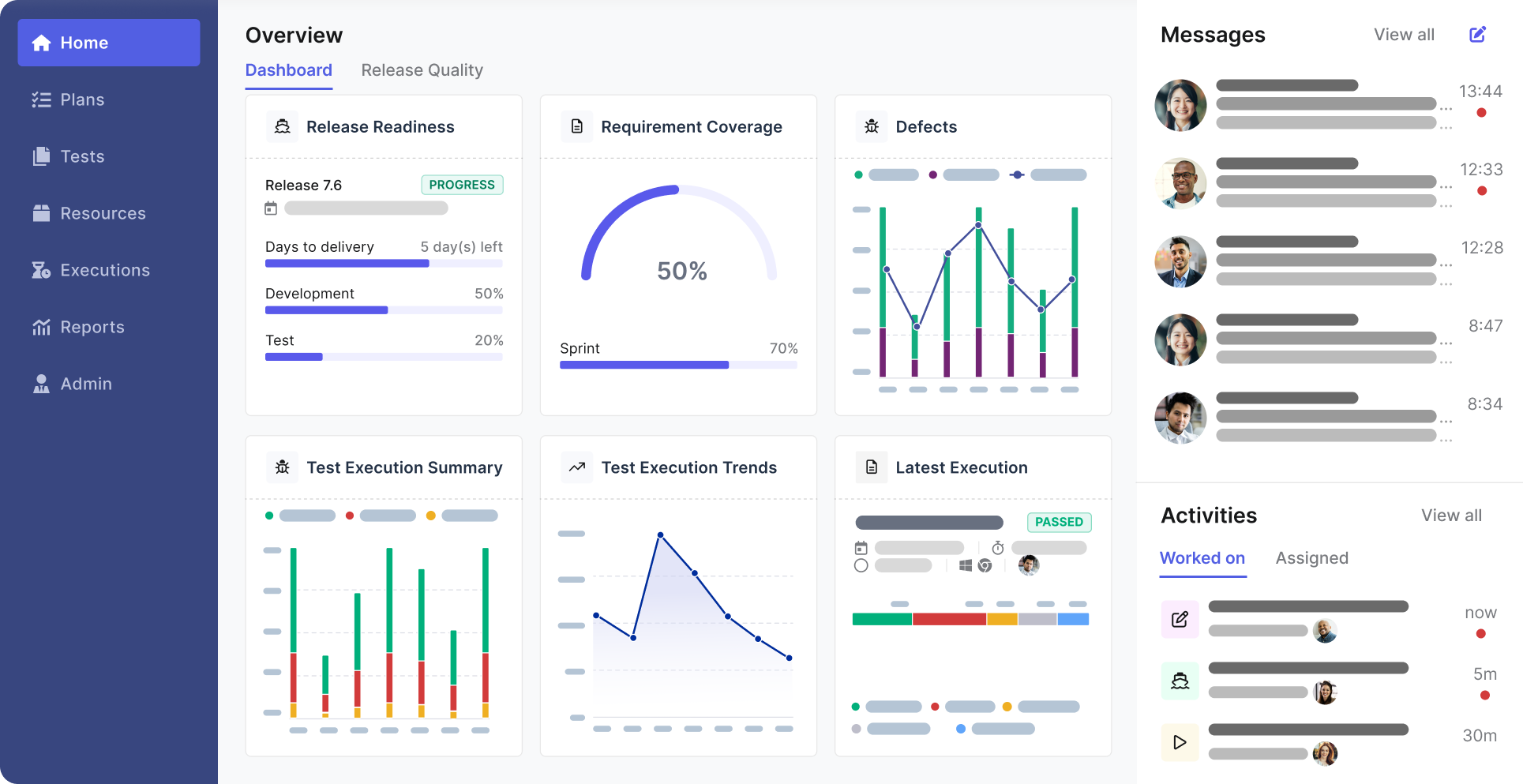
TestOps is one part of Katalon True, and each product has its own job:
- Katalon TestOps for test management and manual testing
- Katalon Studio for test automation across web, mobile, API, and Windows desktop apps
- TestCloud and Katalon Runtime Engine (KRE) for running automated tests in the cloud or from CI
- TrueTest for production insights
Automated suites run from Katalon Studio, from CI with the KRE add-on on a paid plan (Professional or Enterprise), or on TestCloud, an add-on that works with any Studio plan, including Free. Results from Playwright, JUnit, and other frameworks come in through the Playwright reporter or the Katalon Report Uploader, alongside manual runs. TestOps also integrates with Jenkins, GitHub, GitLab CI, and Slack.
As of November 2026, Katalon TestOps is $800 per seat per year, True Manual is $900, and True Automation (with Katalon Studio) is $2,500 per seat per year, billed annually; see Katalon pricing. For automation, Katalon Studio is Free, or Professional at $1,800 per seat per year (about $150 a month), billed annually, with Enterprise on custom pricing and a 30-day free trial.
qTest within the wider Tricentis portfolio
qTest is often bought with other Tricentis products. If your team is weighing the wider Tricentis stack, not only test management, this is where each Katalon product fits as of November 2026:

Tricentis product | Its job | Katalon product |
|---|---|---|
Tosca | End-to-end test automation, codeless and model-based | Katalon Studio |
Testim | Low-code web, mobile, and Salesforce test automation | Katalon Studio |
qTest | Test management | Katalon TestOps |
NeoLoad | Load and performance testing | No Katalon equivalent |
AI Workspace | Designing, deploying, and governing quality agents | Katalon True, with AI agents built into TestOps and Studio |
NeoLoad users can keep NeoLoad alongside Katalon or choose another load testing tool. For the full product-by-product comparison, including Tosca against Katalon Studio, see Katalon vs Tricentis. The rest of this guide stays on the test management pair: qTest and Katalon TestOps.
AI: Agentic Test Creation vs the AI Test Runner
Both vendors use AI, but they apply it to different parts of the testing job.
qTest focuses its AI on creating and finding tests. Agentic Test Creation reads requirements and drafts test cases, checks whether existing tests already cover a requirement, and waits for a person to approve. You can work with it through qTest's own AI chat or any MCP-compatible assistant. Across the wider Tricentis portfolio, the Tricentis AI Workspace, launched on March 10, 2026, is where teams design, deploy, and govern quality agents, with integrations to qTest, Tosca, NeoLoad, Jira, GitHub, and ServiceNow.
Katalon TestOps uses AI to draft and to run tests. AI drafts manual test cases from synced Jira or Azure DevOps requirements for your team to review and save, and in Jira Cloud the Katalon app for Jira drafts test cases from an issue for you to accept or reject. New in TestOps, the AI Test Runner runs the manual test cases you already have, step by step, with a screenshot and an AI log for each step. You can let it run on its own or approve each step. TestOps also uses AI for requirement analysis, failure investigation, defect drafting, and reporting and insight.
The practical difference: qTest's agents help you write and organize test cases, while the AI Test Runner adds capacity to execute manual regression you already maintain. If manual regression is your bottleneck, that difference matters more than test case generation, which both tools offer.
Jira integration: qTest, TestOps, and Jira test management plugins
A common question is qTest vs Jira. They are not alternatives: Jira tracks stories and defects, while qTest manages the tests that verify them. qTest connects to Jira with what Tricentis calls real-time Jira integration at both the requirements and defects levels, so testers work in qTest and developers stay in Jira.
Katalon TestOps works the same way. It syncs projects, releases, requirements, and defects from Jira Cloud or Jira Data Center in real time, plus sprints when a board is selected. You can report a defect to Jira from a failed result or manual step, and the Katalon app for Jira shows linked test cases and results on the Jira issue.
The other model is Jira test management plugins such as Zephyr and Xray, which keep test cases inside Jira itself. Those suit teams that want one tool and are comfortable with Jira's structure. qTest and TestOps suit teams that want a separate test workspace with its own reporting, connected to Jira rather than built into it.
qTest vs Zephyr (formerly Zephyr Scale) and other test management tools
Teams comparing qTest often look at Zephyr (formerly Zephyr Scale) as well. Zephyr is SmartBear's test management app for Jira: test cases, cycles, and reports live in Jira, and Atlassian Marketplace pricing is billed on your whole Jira user tier, not only on testers. qTest is a standalone tool with Jira sync and quote-based pricing. Zephyr tends to fit Jira-centric teams that want structured test cycles without a second tool; qTest fits larger programs that want cross-project reporting and an on-premises option.
For a head-to-head on the Jira-native model, see Katalon vs Zephyr. If you are also weighing TestRail, Xray, PractiTest, or Qase, our guide to TestRail alternatives compares them on Jira model, execution, read-only seats, and price, and our list of the best test management tools covers the wider field.
Which fits a midsize team?
For a midsize company, the deciding questions are usually about cost visibility, setup effort, and what you already own.
qTest is the stronger fit when:
- Your company already uses Tricentis Tosca or NeoLoad and wants one vendor for automation, test management, and agent governance
- You need test management on your own servers, since Tricentis documents an on-premises install
- You run many automation frameworks and want one agent to collect their results
Katalon TestOps is the stronger fit when:
- Manual regression takes most of your testers' time and you want the AI Test Runner to execute existing manual test cases with evidence
- You want test management and test automation from one vendor, with published TestOps and Katalon True prices on the pricing page
- Managers and product owners need to see results; Katalon offers free Platform Viewer licenses for read-only stakeholders
- Your team mixes manual testers and engineers who want no-code, low-code, or full-code automation
qTest is priced by quote, so compare its quote with Katalon's published per-seat prices on the same seat count, deployment model, and term.
Keeping qTest: using Katalon Studio with qTest
You don't have to replace qTest to use Katalon for automation. Katalon Studio integrates with qTest on a paid plan (Professional or Enterprise), along with Jira, Azure DevOps, TestRail, TestLink, and Rally.
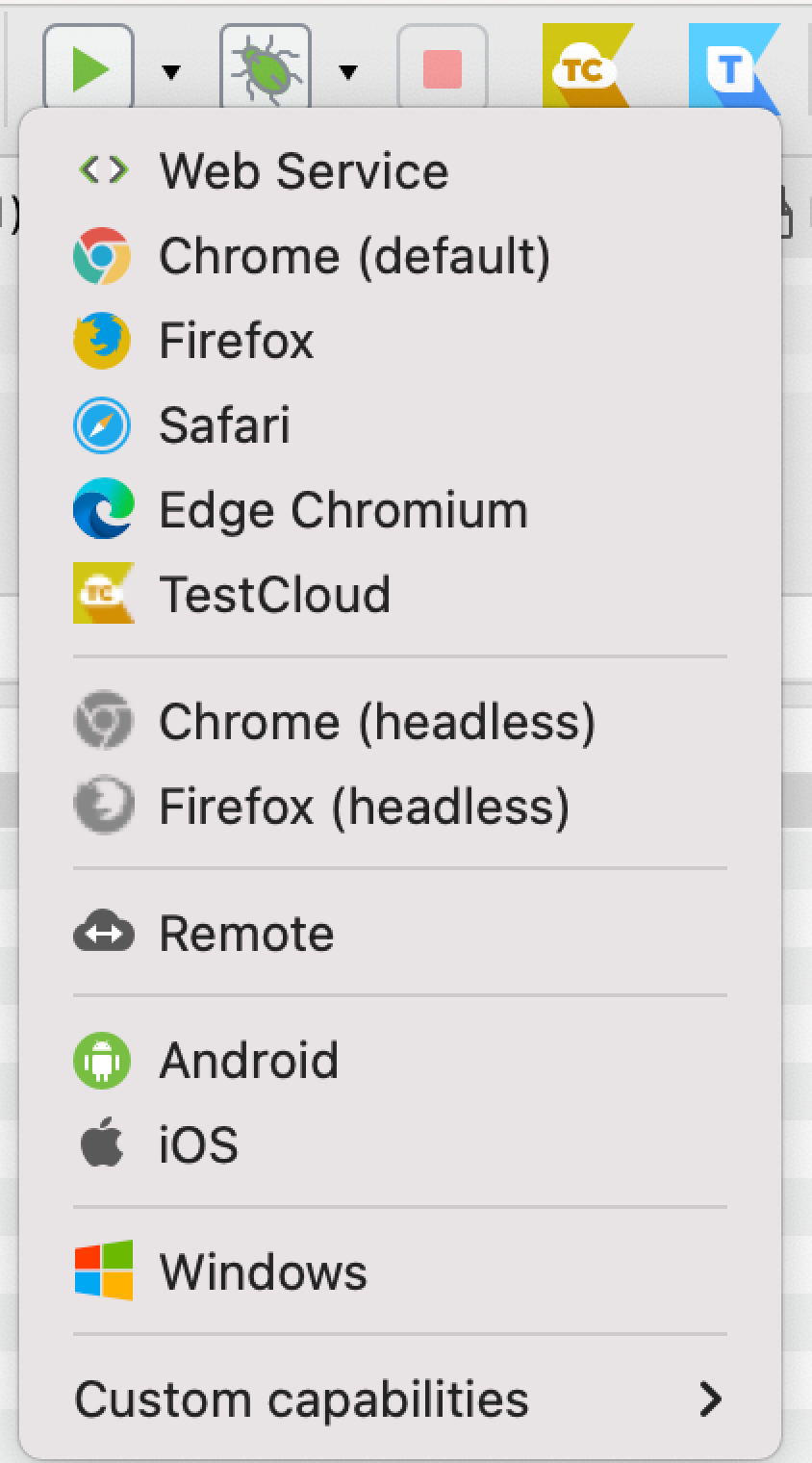
With the qTest integration turned on (Project > Settings > Plugins > qTest), Studio can submit test execution results to qTest test runs automatically, with attachments, or you can upload results manually. qTest stays your record of tests and results while Studio does the automation. This suits teams that want to modernize automation first and decide on test management later.
How to migrate from qTest to Katalon TestOps
Katalon TestOps has no direct qTest importer. The documented path is a spreadsheet export from qTest, saved as CSV, and the TestOps CSV import.
- Connect Jira first. Set up the Jira integration in Katalon TestOps so requirements, defects, and releases sync. Requirement links in your import file can then map to the linked Jira issues.
- Export test cases from qTest to Excel, then save as CSV. In qTest Manager, export test cases from Test Design (you need the Export Test Cases permission), then save the sheet as CSV. Check names before you import: Katalon's docs say names and paths must start with a lowercase letter (a to z), a number from 1 to 9, or an underscore, and must not contain double periods.
- Import a sample. In Katalon TestOps, go to Tests > Test Cases > Create > Import Test Cases. TestOps maps CSV columns to its fields automatically, and you can adjust the mapping and preview before import (Katalon CSV import docs). Import about 50 cases first and check how steps, custom fields, and folders come across.
- Import the rest in batches of about 500 test cases per file, as Katalon recommends.
- Bring automation across. Existing Katalon Studio projects connect to TestOps through Git sync or a ZIP upload.
Run history and past test cycles stay in qTest, so keep it read-only until your audit window closes. During the move, Katalon Studio's qTest integration can keep sending automated results to qTest test runs.
The verdict
qTest is a mature test management tool with agentic test creation, wide automation framework support, and both cloud and on-premises deployment. It makes the most sense for companies already invested in Tricentis, and for teams that must host test management themselves.
Katalon TestOps covers the same core test management jobs and adds AI execution of manual test cases, with Katalon Studio, TestCloud, and KRE for automation and execution from the same vendor. It makes the most sense for teams that want manual and automated testing in one record and a lighter path from manual regression to automation.
If you are not sure, run a short pilot: move one project's test cases into TestOps by CSV, connect Jira, and compare a regression cycle against the same cycle in qTest.
Frequently asked questions
qTest is Tricentis's test management tool, and Katalon TestOps is Katalon's. Both manage test cases, runs, and Jira traceability, and both draft test cases from requirements with AI. qTest adds an on-premises option and wider Tricentis integration. TestOps adds the AI Test Runner, which executes manual test cases, and pairs with Katalon Studio, TestCloud, and KRE.
No. Jira tracks work items such as stories and defects, while qTest manages the test cases and runs that verify them. qTest connects to Jira with real-time integration at the requirements and defects levels, so testers work in qTest and developers stay in Jira. Katalon TestOps uses the same separate-tool model with Jira sync.
As of November 2026, Tricentis does not publish qTest prices. Its pricing page asks you to request a quote, and a 14-day trial is available. Katalon TestOps is $800 per seat per year, and True Automation, with Katalon Studio, is $2,500 per seat per year, billed annually. Compare quotes on the same seat count, deployment model, and term.
Yes. As of November 2026, Tricentis documents qTest as a cloud service and also publishes an on-premises installation guide covering qTest Manager, Pulse, Launch, and Scenario. Katalon TestOps runs as multi-tenant SaaS by default, with a Katalon-hosted private SaaS option, so teams that must host test management on their own servers will find qTest the closer fit.
Yes, by CSV, since TestOps has no direct qTest importer. Export test cases from qTest to Excel and save them as CSV, then use Tests > Test Cases > Create > Import Test Cases in TestOps, which maps columns to fields automatically. Import about 500 cases per file. Run history stays in qTest, so keep it read-only during the move.
Yes. On a paid plan (Professional or Enterprise), Katalon Studio integrates with qTest and can submit test execution results, with attachments, to qTest test runs automatically or by manual upload. This lets teams keep qTest as their test management record while they use Katalon Studio for web, mobile, API, and desktop automation.

Test everything. Ship with confidence.
From generating test cases to spotting failures, Katalon's AI works across your entire pipeline, automatically.
