


Katalon AI Assistant, formerly StudioAssist, is the AI coding companion built into Katalon Studio. It suggests code based on context and explains existing code, so you can write and understand test automation scripts faster.
Introducing Katalon AI Assistant (formerly StudioAssist), an AI coding companion that helps you write and understand test automation code in Katalon Studio. Built into Katalon Studio, it provides context-based code suggestions and detailed descriptions of existing code.
Katalon AI Assistant won’t make you a test developer, but it will help you be a faster, more efficient, and more collaborative test developer. It is intended to make Katalon Studio even more accessible by targeting that steep learning curve between the easy to learn record and playback capabilities and the early steps into customization of tests using code.
By enabling these steps with AI that both generates code based on descriptions as well as generating descriptions of existing code, quality engineers can quickly generate new Studio code to meet their specific need and create descriptions of existing code they are not familiar with.
Experienced Katalon Studio developers will be able to work more efficiently, and collaboratively, by using the “Explain Code” feature to easily include inline comments so that more junior developers can have clear direction on what sections of code do and why.

How To Use It
Getting things ready
- If you want to use Katalon's AI service, follow these steps to enable AI capabilities in your Katalon account.
- Or if you want to use your own AI provider key (OpenAI, Azure OpenAI, Google Gemini, AWS Bedrock, or an OpenAI-compatible provider) follow these steps.
Off to the races
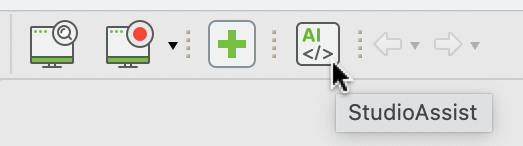
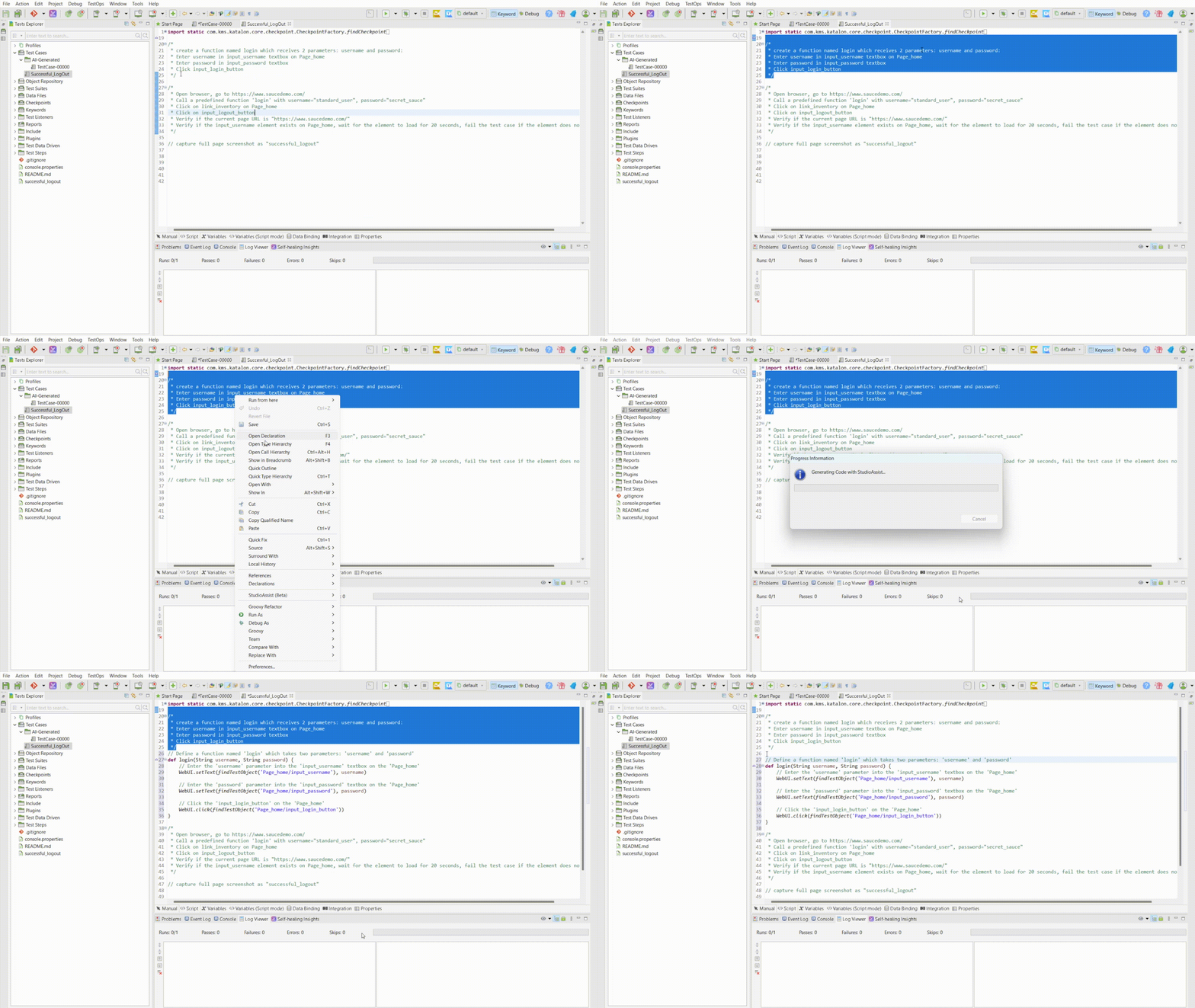
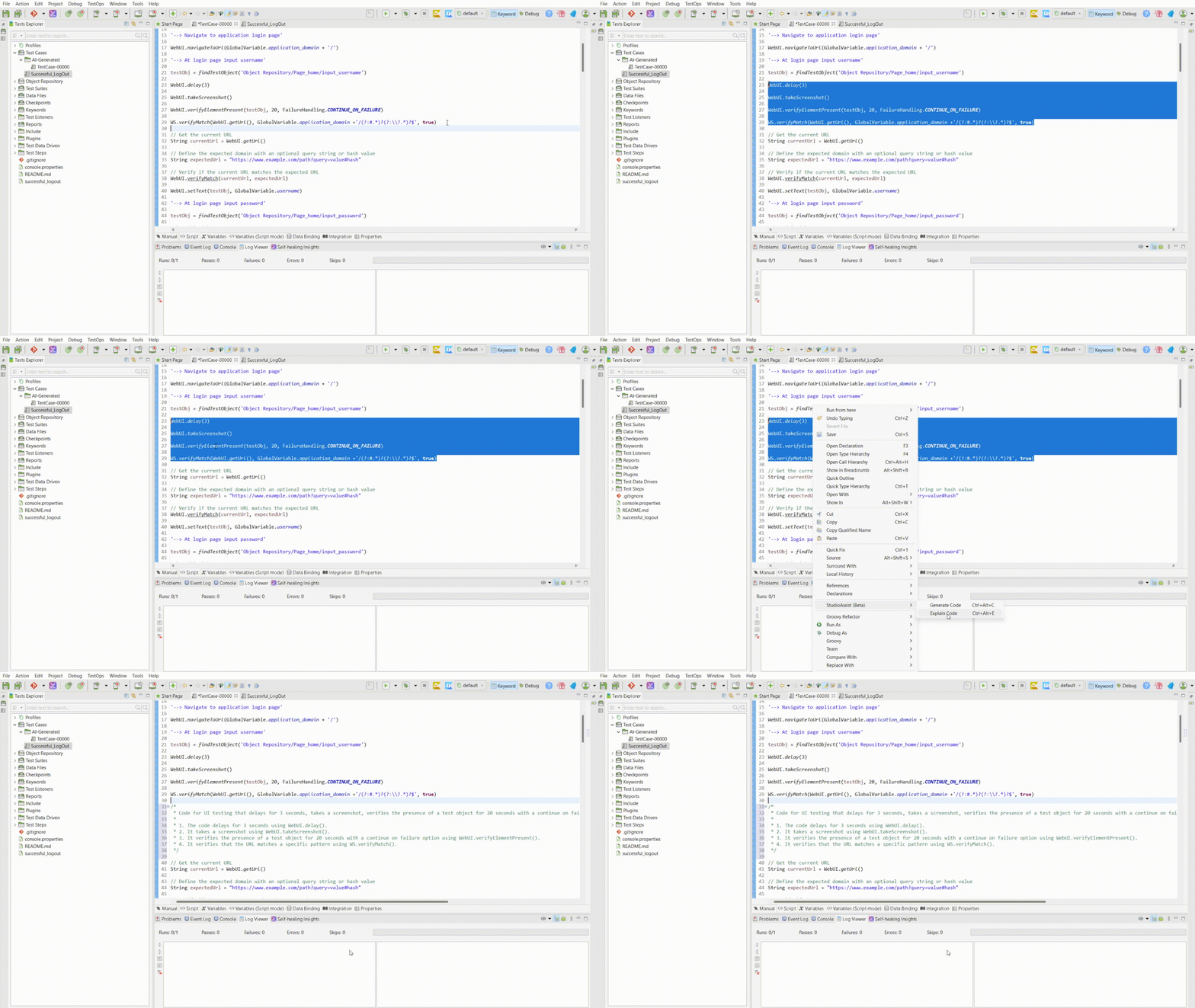
Katalon AI Assistant can be found in the right-click context menu and can be used after selecting either a section of code (for inline description generation) or a section of inline comments (for code generation). To access its settings, you can click on the AI icon in the tool bar.
Generate Code
Explain Code
Go Use It Now!
Katalon AI Assistant is part of Katalon Studio and available now, check out the latest Studio release notes to learn more. If you are just starting your test automation journey, it will help you understand existing code and help you create custom code for your specific needs. For experienced developers it will fast track your coding efforts and make adding inline comments faster so that future developers on your team can more easily understand your customizations.
Start Testing With Katalon For Free or Book A Call With Our Team
Frequently asked questions
Katalon AI Assistant is an AI coding companion in Katalon Studio that provides context-based code suggestions and generates detailed descriptions of existing code to streamline Studio programming workflows.
Katalon AI Assistant reduces the learning curve between record-and-playback and early steps of customizing tests using code, improving speed, efficiency, and collaboration in test development.
Two primary features: Generate Code: generates Studio code from selected inline comments/descriptions. Explain Code: generates descriptions of selected code and supports adding inline comments for clearer understanding.
Katalon AI Assistant does not turn someone into a test developer, but improves productivity and collaboration for test developers by accelerating coding and documentation.
Katalon AI Assistant is available from the right-click context menu after selecting: a section of code (for description generation / Explain Code), or a section of inline comments (for code generation / Generate Code).Settings are available via the AI icon in the toolbar.
AI capabilities can be enabled through Katalon’s AI service by following the setup steps referenced for enabling AI in a Katalon account, or by configuring your own AI provider key (OpenAI, Azure OpenAI, Google Gemini, AWS Bedrock, or an OpenAI-compatible provider) using the referenced steps.
Katalon AI Assistant is part of Katalon Studio and is available now. Additional details are provided in the latest Studio release notes.



Test everything. Ship with confidence.
From generating test cases to spotting failures, Katalon's AI works across your entire pipeline, automatically.
