.svg)


Introducing StudioAssist, a next-generation AI-powered coding companion designed to streamline your Studio programming workflow and empower you to develop test automation code like never before. Leveraging the power of GPT and Katalon Studio, this innovative tool provides context-based code suggestions as well as the ability to provide detailed descriptions of existing code.
StudioAssist won’t make you a test developer, but it will help you be a faster, more efficient, and more collaborative test developer. It is intended to make Katalon Studio even more accessible by targeting that steep learning curve between the easy to learn record and playback capabilities and the early steps into customization of tests using code.
By enabling these steps with AI that both generates code based on descriptions as well as generating descriptions of existing code, quality engineers can quickly generate new Studio code to meet their specific need and create descriptions of existing code they are not familiar with.
Experienced Katalon Studio developers will be able to work more efficiently, and collaboratively, by using the “Explain Code” feature to easily include inline comments so that more junior developers can have clear direction on what sections of code do and why.

How To Use It
Getting things ready
- If you want to use Katalon's AI service, follow these steps to enable AI capabilities in your Katalon account.
- Or if you want to use your personal OpenAI or Azure OpenAI API key follow these steps.
Off to the races
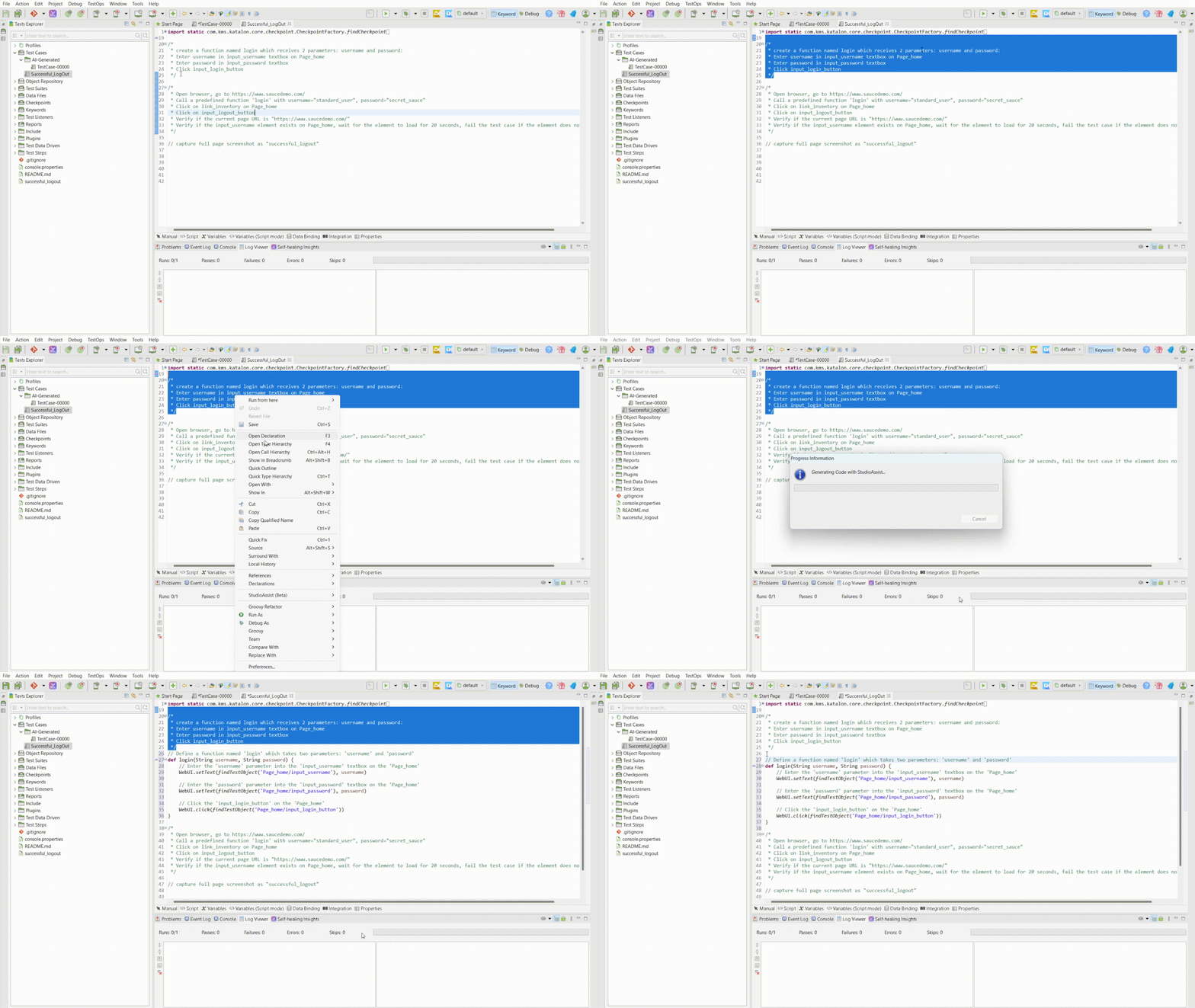
StudioAssist can be found in the right-click context menu and can be used after selecting either a section of code (for inline description generation) or a section of inline comments (for code generation). To access its settings, you can click on the AI icon in the tool bar.

Generate Code
Explain Code

Go Use It Now!
StudioAssist is part of Katalon Studio and available now, check out the latest Studio release notes to learn more. If you are just starting your test automation journey, it will help you understand existing code and help you create custom code for your specific needs. For experienced developers it will fast track your coding efforts and make adding inline comments faster so that future developers on your team can more easily understand your customizations.
Join The Community And Share Your Experience
StudioAssist is our newest GPT-powered addition to the Katalon platform and further solidifies our commitment to delivering cutting-edge AI-powered capabilities. We are thrilled about this announcement and are eager to hear your feedback. Join our community to read about and share your experiences with StudioAssist.
|
