.svg)




AI-driven testing is evolving fast, and teams like yours are under pressure to keep pace while maintaining speed, stability, and quality. Mabl is one of the tools that helped popularize low-code, AI-assisted test automation — but as your applications grow more complex, its limitations become harder to ignore.
Whether you're scaling cross-browser testing, expanding to mobile, tightening release cycles, or simply looking for more flexibility, the good news is that the market now offers several strong alternatives built for modern QA workflows.
In this guide, we’ll walk you through the top 7 Mabl alternatives, helping you understand:
- Where Mabl falls short for fast-moving engineering teams
- Which tools excel in AI-driven automation across different use cases
- How each alternative compares in terms of speed, stability, and scalability
- Which platform aligns best with your team’s technical skill set and delivery goals
Let’s dive in!
Challenges of testing with Mabl

As you scale your testing needs, you may start to notice that Mabl’s strengths come with a few constraints. These aren’t deal-breakers for every team, but they can slow you down when your test suite grows, your product gets more complex, or your release cycles tighten. We’ve heard many teams describe the same patterns, so we want to walk you through the areas where Mabl tends to struggle.
You might relate to some of these:
- Limited flexibility in complex test logic: Mabl’s low-code interface is friendly at first, but once you need custom flows, conditional logic, or deeper assertions, the visual editor feels restrictive. You spend more time working around the UI than actually building tests.
- Scaling costs grow quickly: As your team expands test coverage, execution hours can jump significantly. Many users feel they must trim tests or avoid frequent runs to stay within budget, which defeats the purpose of continuous testing.
- Mobile support gaps: Mabl is primarily built for web automation. If your team relies on mobile apps or uses a hybrid testing strategy, you will likely need another tool to fill the gap.
- Opaque AI behavior: While Mabl’s auto-healing is helpful, it sometimes updates locators or test steps in ways that are hard to audit. This can introduce uncertainty—especially in regulated industries where test traceability matters.
- Longer onboarding for technical teams: Engineers who prefer full control often find the abstraction limits their ability to debug or extend tests. This creates a split workflow between engineers and QA specialists, slowing delivery.
- Limited integration depth: Although Mabl offers key integrations, teams handling enterprise-scale pipelines sometimes struggle connecting Mabl seamlessly into multi-stage CI/CD flows.
To make things easier to compare, here’s a quick overview of where Mabl tends to fall short:
| Area | Challenge |
|---|---|
| Test complexity | Hard to express advanced logic or deeply customized scenarios. |
| Scalability | Execution costs rise as teams add more tests and environments. |
| Mobile coverage | No native mobile testing support, forcing teams into multi-tool stacks. |
| AI observability | Auto-healing behaviors can be difficult to track and validate. |
| Engineering adoption | Technical teams often want more control than Mabl’s low-code model provides. |
When these challenges stack up, teams naturally begin looking for alternatives that balance ease of use with deeper customization, richer AI capabilities, and stronger cross-platform coverage. That’s where the next set of tools comes in.
Top Mabl alternatives your QA team should know
1. Katalon Platform

The Katalon Platform is one of the most complete alternatives to Mabl, especially if you’re looking for a solution that balances ease of use with deep technical capability. Instead of juggling multiple tools for test creation, execution, analytics, and maintenance, you get a unified ecosystem that handles web, mobile, API, and desktop testing from end to end. It’s built for teams that want to scale automation without losing control or flexibility along the way.
One thing we really appreciate about Katalon is how naturally it adapts to different skill levels. If your testers prefer codeless authoring, Katalon offers intuitive UI-driven workflows. If your engineers prefer scripting, they can write custom logic or blend code with codeless steps in the same project. This balance helps cross-functional teams move faster without compromise.
What you can achieve with Katalon:
- Automate across all major platforms: Web UI, mobile apps, APIs (REST, SOAP, GraphQL), and desktop applications.
- Use built-in testing frameworks: Data-driven testing, BDD, and reusable UI object management via the Object Repository.
- Run tests anywhere: Locally, remotely, on cloud providers, or at scale using TestCloud’s 3,000+ browser/device/OS combinations.
- Scale execution with Katalon Runtime Engine: Run parallel executions and accelerate large regression cycles.
- Integrate cleanly into CI/CD: Connect with GitHub Actions, Jenkins, Bitbucket, Azure DevOps, and other pipelines.
- Analyze results instantly: Access screenshots, videos, logs, and structured reports to speed up root-cause analysis.
AI-powered testing that elevates coverage
Katalon is also one of the first platforms to embed AI directly into the testing lifecycle that offers meaningful, practical benefits, not just buzzwords. The AI-driven capabilities simplify maintenance and expand your coverage without adding more manual work.
- Automatic test maintenance: AI detects locator changes and helps you fix test objects before they break.
- TrueTest for AI-generated regression testing: TrueTest analyzes real user behavior in production and generates regression tests automatically.
- Smart analytics in TestOps: Identify flaky tests, detect hidden risks, and pinpoint failure patterns faster.
TestOps: Visibility and control at enterprise scale
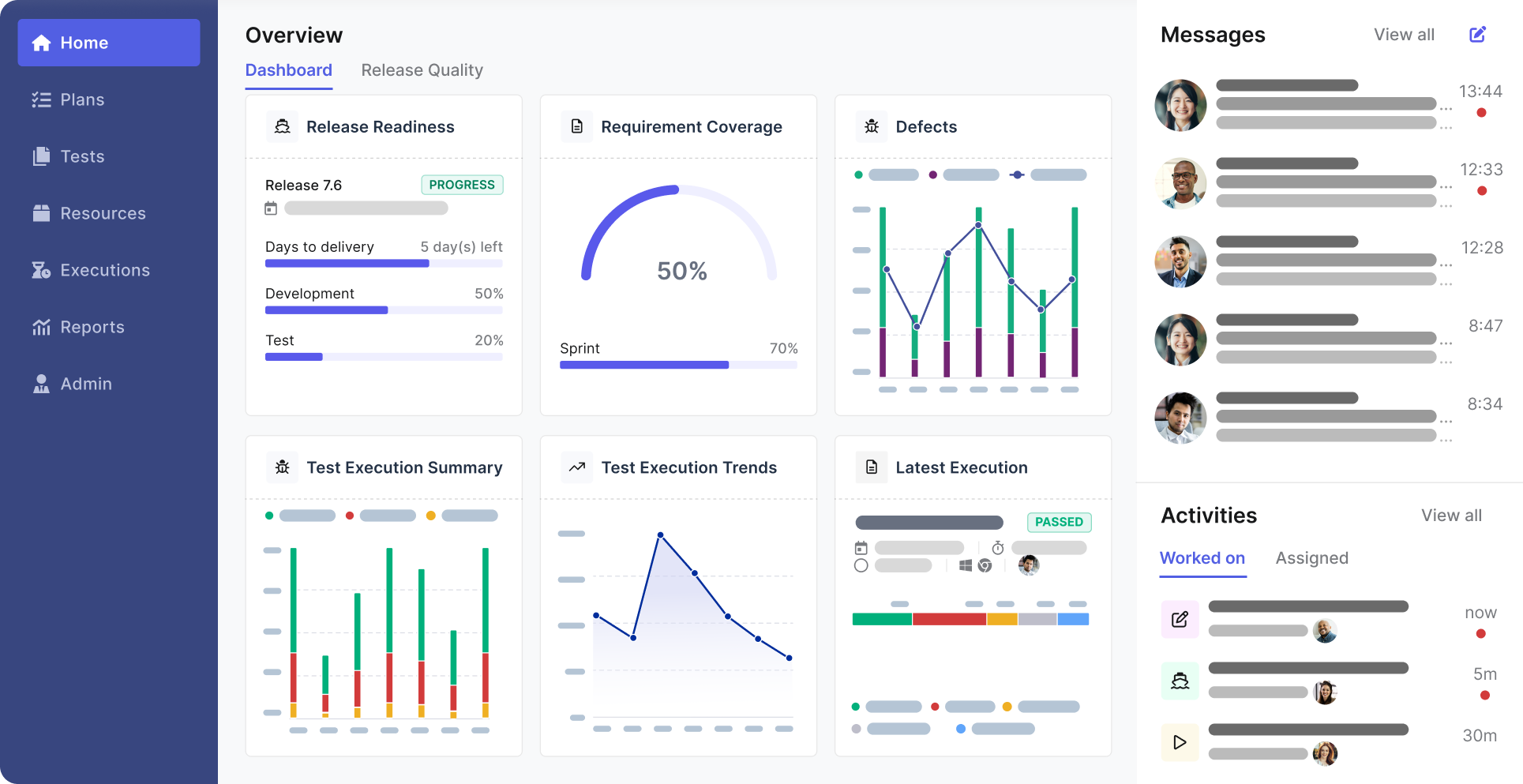
If you’ve ever struggled to keep track of hundreds or thousands of tests, TestOps will feel like a relief. It centralizes your entire testing operation so you can monitor quality trends, orchestrate executions, and maintain traceability across manual, automated, and AI-generated tests.
- End-to-end test management: Store, organize, and track every test case in one place.
- Real-time dashboards: View coverage, pass/fail rates, flaky test analytics, and requirement traceability.
- Execution orchestration: Schedule runs in CI, nightly builds, or custom event triggers.
TestCloud: On-demand execution without infrastructure overhead
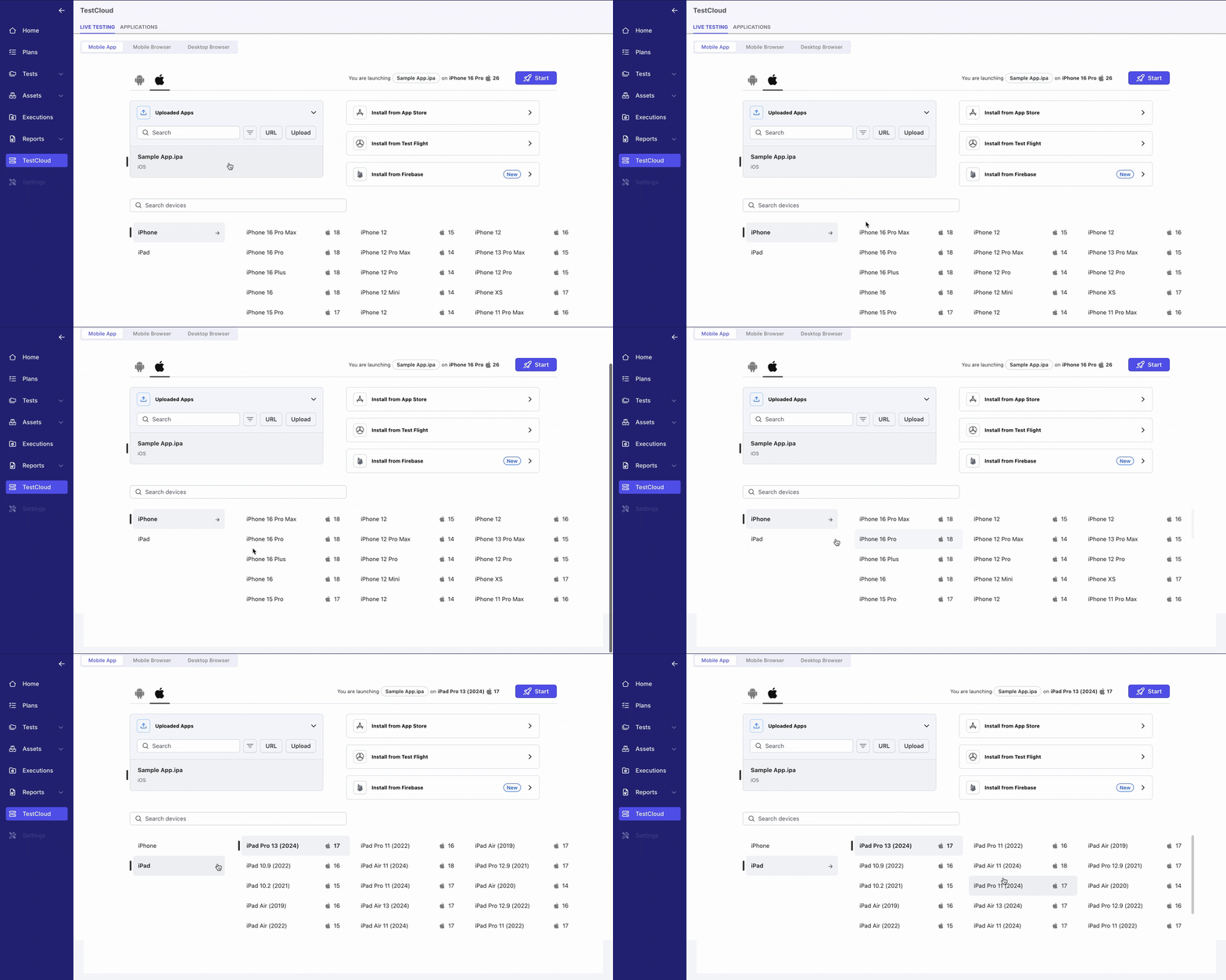
If you’re tired of maintaining device labs, TestCloud gives you instant execution environments. You can run test suites on thousands of browser-device-OS combinations without touching a single VM or emulator.
- 3,000+ real-world environments: From Chrome and Safari to Android and iOS device models.
- Flexible parallel execution: Slash regression runtime even on huge suites.
- Seamless integration: Trigger cloud runs directly from Katalon Studio or TestOps.
Put simply, the Katalon Platform offers one of the broadest and most scalable automation ecosystems available today. Whether you're managing small agile teams or enterprise-wide QA operations, Katalon gives you the tools to accelerate quality without adding complexity.

📝 Ready to see how Katalon fits your testing team? Request a personalized demo and explore the platform in action.
2. Testim

Testim is one of the better-known AI-powered automation platforms, especially if you’re looking for a tool that helps you build tests quickly without wrestling with complex frameworks. It uses dynamic locators and smart learning algorithms to keep tests stable, and for many teams, that combination feels like a breath of fresh air—particularly when dealing with constantly changing UI elements.
Where Testim really shines is in how fast you can create tests. You click through your application, let Testim record interactions, and then refine the flow with reusable components. If your team values speed above everything else, this is a pleasant change of pace compared to heavier scripting tools.
Here’s what Testim brings to the table:
- AI-powered stabilizers: Testim automatically adjusts locators and adapts to UI changes, helping you reduce flaky failures without manually updating every selector.
- Fast test authoring: The record-and-customize workflow makes it easy for both QA specialists and product teams to build tests with very little ramp-up time.
- Reusable test components: You can modularize flows like login or checkout and reuse them across suites, which saves a lot of maintenance effort.
- Cross-browser coverage: Tests can run on popular browsers and cloud platforms, keeping your compatibility testing efficient.
- Built-in CI/CD integrations: Connecting Testim to your pipeline takes only a few clicks, allowing you to run tests automatically as part of each deployment cycle.
That said, Testim isn’t perfect, and depending on where you are in your testing maturity, some limitations may stand out.
Challenges to keep in mind:
- Limited custom logic: While Testim allows code steps, you may still feel boxed in when building highly dynamic or data-heavy scenarios.
- Scaling costs: As your test catalog and execution volume grow, the subscription cost can escalate quickly.
- Learning curve for modularity: Creating reusable components is powerful but requires early discipline; if your team doesn’t build reusable flows from the start, maintenance becomes messy.
To give you a clearer picture, here’s a summarized overview of how Testim typically performs across testing dimensions:
| Category | Assessment |
|---|---|
| Speed | Excellent for rapid test authoring and onboarding. |
| Stability | Strong thanks to AI-based locator handling. |
| Customization | Moderate; can feel restrictive for engineering-heavy teams. |
| Cost efficiency | Improves for small teams but becomes expensive at scale. |
Overall, Testim is a compelling option if you want fast authoring, AI stabilization, and an approachable interface. However, if your team needs deeper customization, broader platform support, or more predictable scaling, you may find Testim hitting its limits as your testing needs mature.
3. ACCELQ
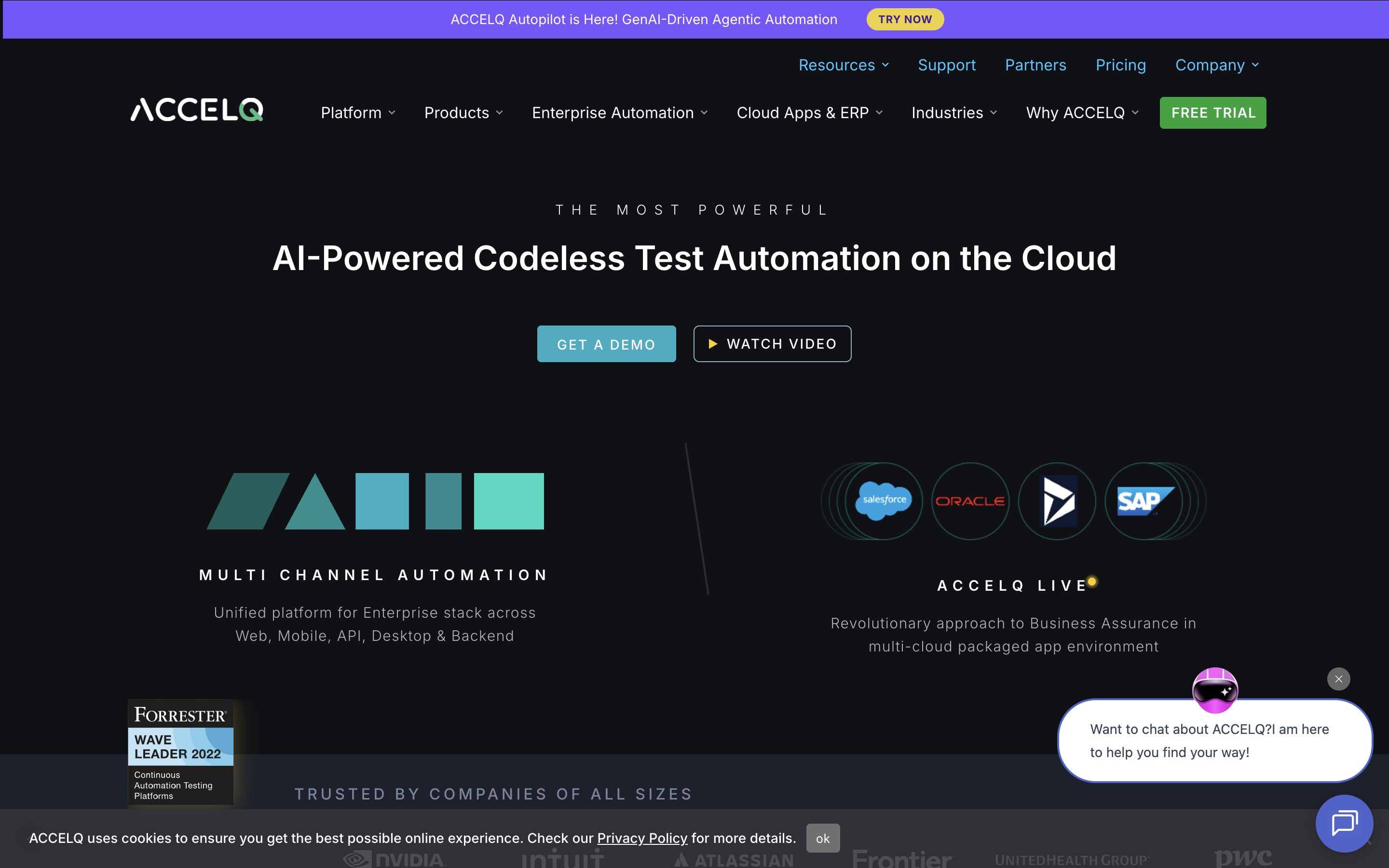
ACCELQ is a cloud-native, codeless automation platform that aims to remove as much scripting overhead as possible. If your team prefers building tests visually with strong support for business workflows, ACCELQ fits that mold quite well. It blends natural language authoring, modular test design, and automated healing into a single environment that feels approachable even to non-technical contributors.
One of the areas where ACCELQ stands out is its unified approach to functional, API, and UI testing. Rather than splitting these capabilities across different tools or plugins, ACCELQ ties them together through model-based automation—so your tests map closely to the business logic of your application. This can be extremely helpful when your team handles a fast-moving product with many interconnected flows.
Here’s what ACCELQ helps you accomplish:
- End-to-end automation without scripting: Write test scenarios using simple English statements that ACCELQ translates into executable steps.
- Model-based testing: Visualize application pages, actions, and transitions to design tests that reflect real user behavior.
- Cloud execution and orchestration: Run your suites on ACCELQ’s cloud infrastructure without maintaining devices or environments locally.
- AI-driven healing: Automatically repair failing tests when the UI changes, reducing maintenance cycles.
- CI/CD readiness: Integrate seamlessly with popular tools like Jenkins, Azure DevOps, GitHub Actions, and Jira.
But like every no-code platform, ACCELQ has its own set of limitations—especially when your team demands deeper custom logic or wants to mix codeless steps with full scripting flexibility.
Challenges you may encounter:
- Limited extensibility for engineers: Advanced edge cases sometimes require custom workarounds, and the codeless model may not always provide the fine-grained control developers need.
- Steeper learning curve for model-based workflows: The modeling concept is powerful, but it asks your team to think differently about how tests are structured.
- Performance sensitivity in complex apps: Heavily dynamic interfaces or multi-layered apps can lead to slower test runs without careful optimization.
To give you a more compact picture, here’s how ACCELQ typically positions itself:
| Dimension | ACCELQ summary |
|---|---|
| Test authoring | Codeless, English-like steps supported by a model-based architecture. |
| Coverage | Unified support for UI, API, and end-to-end business flows. |
| Infrastructure | Runs in the cloud, minimizing local setup requirements. |
| Best fit | Teams that want a codeless, business-centric workflow for automation. |
If your team values simplicity, visual design, and cloud-first testing—without needing deep engineering-level customization—ACCELQ makes for a strong Mabl alternative worth exploring.
4. TestSigma
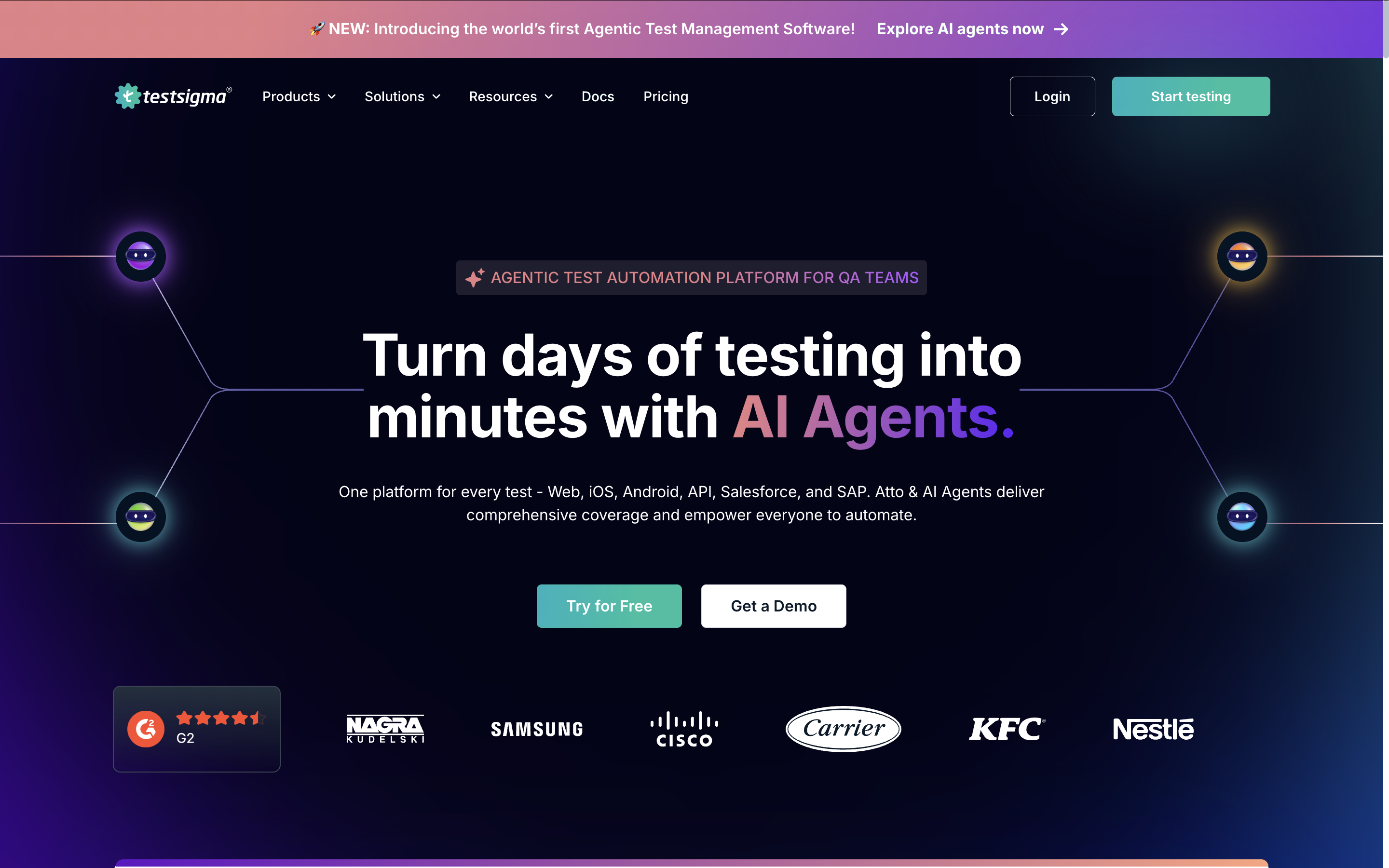
TestSigma is one of the more approachable cloud-based testing platforms, especially if you want to create automated tests quickly using natural-language steps. Instead of writing scripts, you describe actions in everyday English, and TestSigma interprets them into executable flows. For teams with a mix of technical and non-technical members, this can feel refreshingly inclusive.
What helps TestSigma stand out is its emphasis on fast authoring and cloud execution. You don’t need to set up machines, configure drivers, or maintain device labs—the platform hosts everything. You simply log in, build tests, and run them at scale across browsers and devices. For growing teams that are short on infrastructure resources, this removes a whole layer of operational overhead.
Here’s where TestSigma tends to deliver the most value:
- Natural-language test creation: Build test steps just by describing what you want to happen, which dramatically reduces onboarding time.
- Unified support across web, mobile, and API: You can handle multiple application layers without jumping between different tools.
- Cloud-based execution: Tests run on real devices and browser environments managed entirely by TestSigma.
- Reusable test assets: Modular components help you maintain consistency across large test suites.
- CI/CD and integrations: Works well with tools like Jira, Jenkins, GitHub Actions, and Slack to keep communication flowing smoothly.
While TestSigma is easy to adopt, it still comes with a few trade-offs you should be aware of—especially if your product requires advanced custom logic or very specific test configurations.
Challenges to consider:
- Limited flexibility for complex test logic: Natural-language steps are convenient, but they can feel restricting when you need highly dynamic or conditional flows.
- Cloud dependency: You rely heavily on TestSigma’s hosted infrastructure; teams with strict security or on-prem requirements may find this limiting.
- Performance variability: Execution speed can fluctuate depending on cloud load, particularly during peak testing windows.
To help you evaluate TestSigma more clearly, here’s a concise snapshot of how it typically performs in key testing areas:
| Category | TestSigma overview |
|---|---|
| Authoring speed | Very fast thanks to natural-language steps and reusable blocks. |
| Platform coverage | Supports web, mobile, and API automation in one platform. |
| Maintenance effort | Moderate; tests may require adjustments for dynamic applications. |
| Best suited for | Teams seeking rapid test creation without deep scripting expertise. |
All in all, TestSigma is a strong Mabl alternative if your priority is simplicity, fast authoring, and cloud-based scalability. However, if your application demands heavier customization or you prefer full engineering control, you may need to explore more flexible platforms in this list.
5. Leapwork
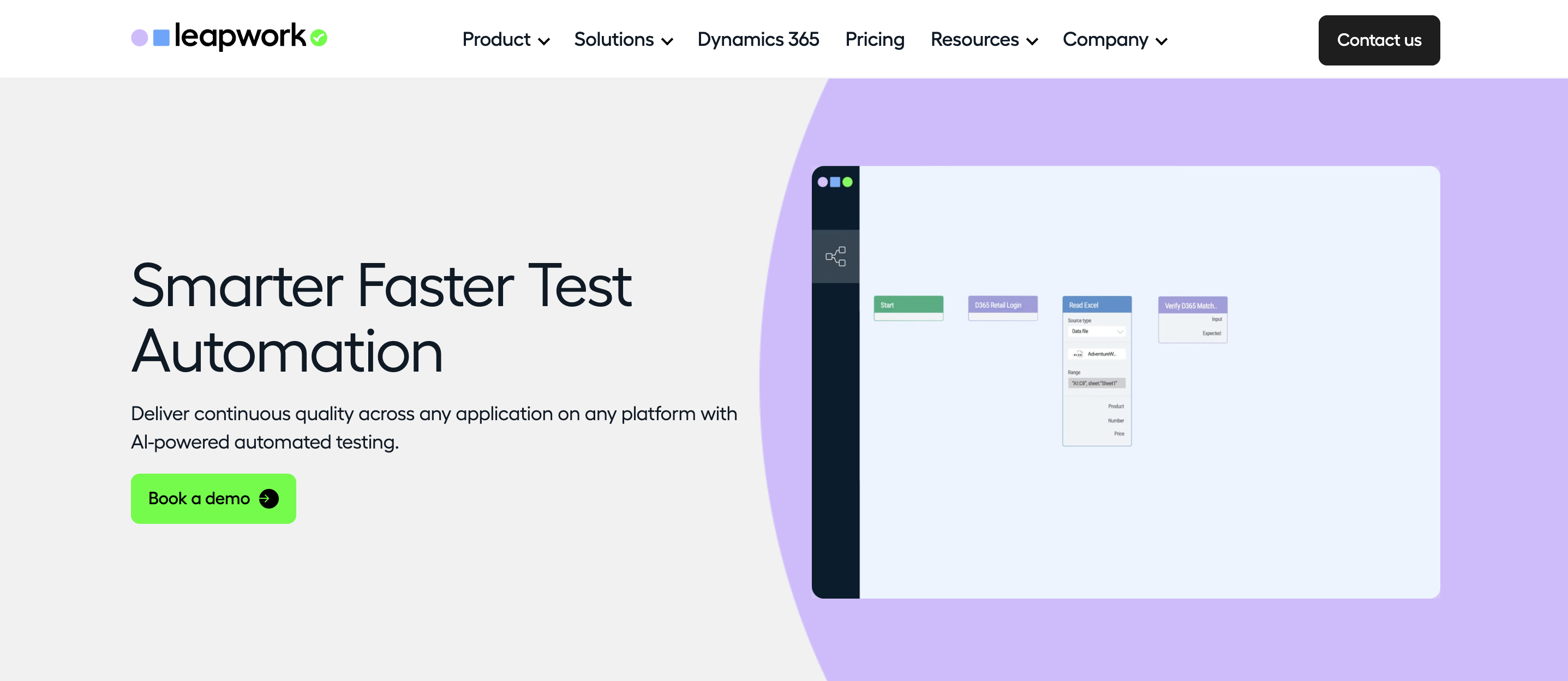
Leapwork is a no-code automation platform built around visual workflows. Instead of writing scripts, you connect blocks in a flowchart-style canvas to describe how users move through your application. If your organization wants business users, QA analysts, and subject-matter experts to participate in automation without touching code, Leapwork speaks directly to that need.
Rather than thinking in terms of frameworks and libraries, you map out processes step by step: open this page, click that button, verify this value, and so on. Over time, these flows become reusable building blocks that reflect the way your business actually operates, not just how the UI is implemented.
Where Leapwork tends to work well:
- Visual flow-based design: You build tests as visual diagrams, which makes them easier to read and explain to non-technical stakeholders.
- No-code collaboration: Business users can help design and review flows, so QA is not limited to a small group of automation engineers.
- Support beyond web: Leapwork can automate web, desktop, and some legacy or packaged applications, which is useful in enterprise environments.
- Centralized scheduling and execution: You can schedule, trigger, and monitor test runs from a unified control center.
- Built-in monitoring and reporting: Dashboards and logs help you understand where flows fail and how stable they are over time.
However, the same no-code philosophy that makes Leapwork accessible can also introduce constraints—especially if your team is more engineering-driven or your application has highly dynamic behavior.
Key challenges to be aware of:
- Complex flows can become hard to manage: As scenarios grow, diagrams can get crowded and harder to reason about than a well-structured codebase.
- Less flexibility for advanced logic: Very specific conditions, data manipulations, or edge cases might require creative workarounds inside the visual model.
- Enterprise-focused pricing: Leapwork is typically positioned toward larger organizations, which may put it out of reach for smaller teams or startups.
To help you quickly compare Leapwork with other Mabl alternatives, here is a compact view of its positioning:
| Dimension | Leapwork summary |
|---|---|
| Authoring style | Visual flowcharts with no-code building blocks. |
| Target users | Business testers, QA analysts, and teams with limited coding skills. |
| Application coverage | Web, desktop, and selected enterprise or legacy systems. |
| Best fit | Enterprises that want business-friendly automation with visual transparency. |
If your primary goal is to bring non-technical stakeholders directly into the automation process and make flows easy to explain in workshops or reviews, Leapwork can be a strong option alongside the other Mabl alternatives on your radar.
6. Tricentis Tosca
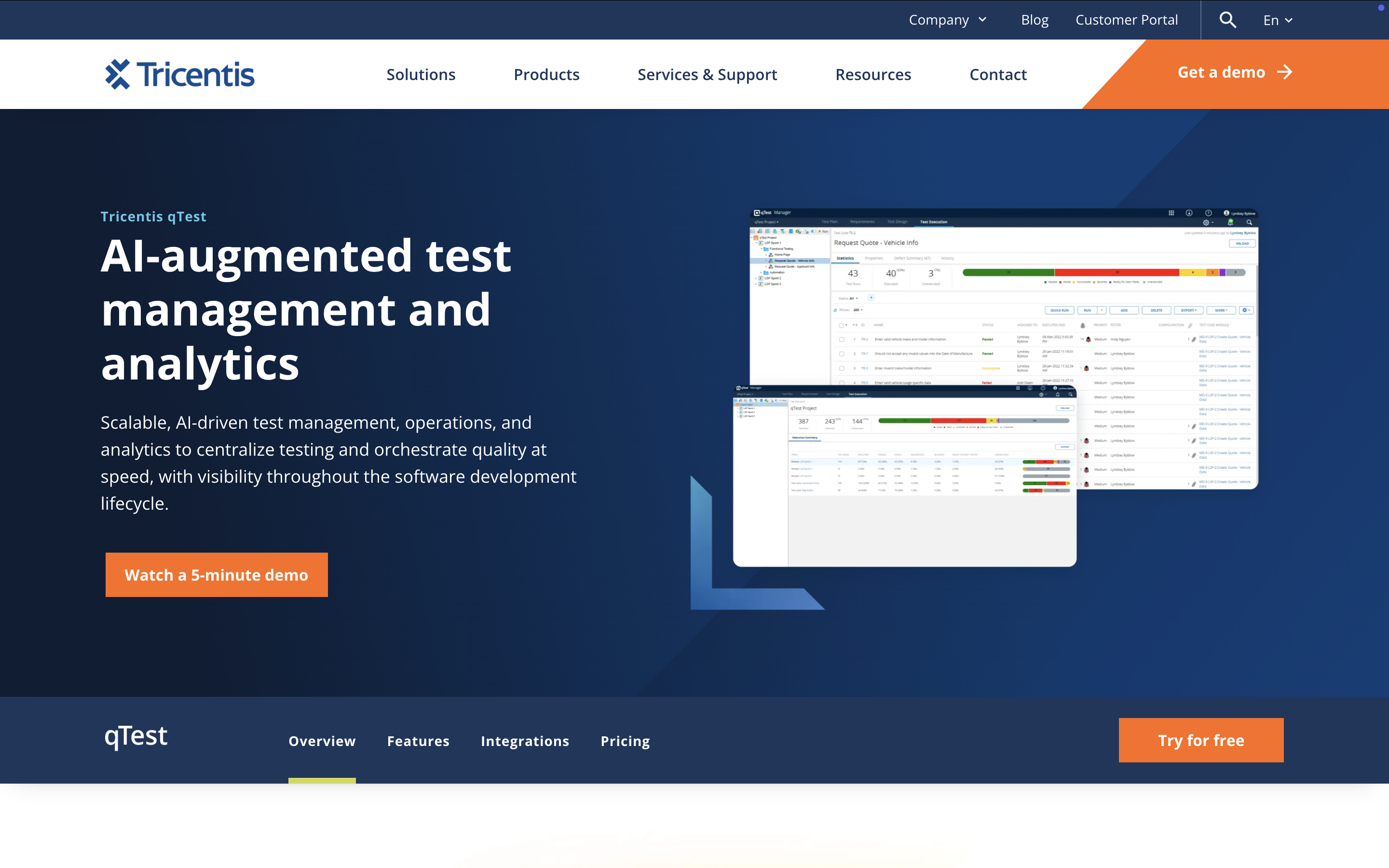
Tricentis Tosca is often seen as the heavyweight of enterprise test automation. It’s built for organizations that need rigorous governance, end-to-end visibility, and deep test coverage for mission-critical applications—from web and mobile to SAP, Salesforce, mainframes, and packaged enterprise systems. If your environment spans multiple business units and technology stacks, Tosca is designed to feel like a central command center.
Rather than relying heavily on scripts, Tosca uses a model-based approach. You scan your application, generate reusable modules, and use those modules to assemble tests. This structure may feel different if your team is coming from tools like Selenium or Cypress, but in large enterprises it dramatically reduces the effort required to maintain thousands of test cases.
Where Tosca excels:
- Enterprise-grade coverage: Supports a wide spectrum of technologies—from UI and API to SAP, desktop apps, and legacy systems.
- Model-based test automation: Builds reusable components that make maintenance easier and more scalable over time.
- Risk-based testing: Uses analytics to prioritize test execution based on actual business risk.
- Strong compliance and traceability: A good fit for regulated industries requiring precise audit trails.
- Rich reporting: Dashboards, logs, and analytics help you uncover bottlenecks and coverage gaps quickly.
However, the same enterprise strengths that make Tosca so appealing can introduce constraints—especially for teams that prefer more flexibility or lighter-weight workflows.
Limitations to keep in mind:
- High cost of ownership: Licensing, infrastructure, and training can add up quickly, making Tosca a better fit for large organizations rather than smaller teams.
- Longer onboarding time: Model-based automation requires a different mindset, and teams may need time to adjust.
- Less agility compared to modern low-code tools: While powerful, Tosca can feel heavy for fast-moving product teams or startups.
To help you visualize Tosca’s position in the market, here’s a quick summary table:
| Dimension | Tosca summary |
|---|---|
| Framework style | Model-based automation with strong modularity. |
| Tech coverage | Extensive: UI, API, SAP, legacy, desktop, and enterprise systems. |
| Best for | Large enterprises needing structured governance and wide integration. |
| Trade-offs | Cost, onboarding time, and limited agility for smaller or fast-moving teams. |
If your organization requires robust, compliance-ready automation that scales across dozens of systems, Tosca is a compelling Mabl alternative. But if you want lightweight authoring, rapid experimentation, or lower cost, you may find better fits in other tools on this list.
7. Functionize
Functionize positions itself as an enterprise-grade, cloud-native testing platform that leans heavily on AI and machine learning. If you are dealing with complex web applications, distributed teams, and demanding release schedules, Functionize is built to feel more like an intelligent testing service than just another test recorder.
Instead of scripting every interaction from scratch, you describe what the test should do in natural language, then refine the generated flow. Over time, the platform learns how your application behaves, adapting locators and test flows when the UI changes. For teams that are constantly chasing unstable selectors, this can be a big relief.
What Functionize is good at:
- Natural language test authoring: You can define tests in plain English, which makes it easier for product owners, business analysts, and non-technical testers to contribute.
- Heavy use of AI and ML: The platform uses machine learning to understand page structure, user behavior, and element relationships, helping to reduce flaky failures.
- Cloud-first architecture: Tests are executed entirely in the cloud, so you do not have to worry about local infrastructure or lab maintenance.
- Rich analytics and dashboards: Built-in reporting helps you spot patterns, regressions, and risk areas across large test suites.
- Enterprise-focused integrations: It plugs into popular CI/CD tools, issue trackers, and collaboration platforms to keep your pipelines flowing smoothly.
From a strategic point of view, Functionize fits teams that want to shift a significant portion of test design and maintenance away from traditional scripting and into an AI-assisted workflow. That said, there are a few trade-offs you should know about before committing too deeply.
Potential drawbacks to consider:
- Strong cloud dependency: Because everything runs in Functionize’s cloud, teams with strict on-prem or data residency requirements may find it challenging to adopt.
- Learning curve around the AI model: To get the best results, your team needs to understand how to structure tests and data so the AI learns correctly. Early missteps can lead to confusing behavior later.
- Less control for highly technical teams: If your engineers prefer full transparency and granular control over every layer, the abstraction can sometimes feel like a black box.
Here is a quick snapshot of how Functionize typically positions itself compared to more traditional tools:
| Aspect | Functionize focus |
|---|---|
| Test creation | Natural language and AI-generated flows rather than hand-coded scripts. |
| Maintenance | Machine learning models automatically update locators and adapt to UI changes. |
| Infrastructure | Fully cloud-based execution and management, minimal local setup. |
| Ideal team profile | Enterprises that want AI-driven automation and can embrace a managed, cloud-centric model. |
If you are looking for a Mabl alternative with a stronger emphasis on AI and cloud-native scale, and you are comfortable with a higher level of abstraction, Functionize is worth evaluating as part of your shortlist.
Conclusion
Choosing the right Mabl alternative really comes down to understanding where your team is today—and where you need to be six months from now. As applications grow more dynamic and delivery cycles shrink, you need a testing platform that not only keeps up but lifts the weight off your team’s shoulders.
Whichever direction you take, we hope this guide helps you narrow down the choices and move confidently toward a testing solution that accelerates quality, reduces friction, and supports your product’s growth.
.png?width=1600&height=420&name=Katalon%20as%20the%20best%20alternative%20to%20Mabl%20(1).png)
|
